Have you ever wondered how artificial intelligence (AI) can be used in the latest technological iteration to create images? Or are you looking for the best tools for 2026 that can automatically generate impressive images from text?
Then you are exactly right here! In this comprehensive overview of outstanding AI image generators, I present you the best tools with which you can create and generate impressive AI images with just a few simple steps (more details later).
Experience the latest technological advancements in creativity with AI art generators ! These AI image tools allow you to create stunning images by analyzing and combining millions of motifs and texts.
With free image generators like DALL-E 3, you can create creative artworks and images that are as fascinating as Vincent van Gogh 's "Night Cafe" .
A new age of art has dawned and continues to advance technologically in 2026: The world of generative AI generators offers a constantly growing wealth of opportunities for creative minds.
These tools can be used to create impressive images and texts that have the potential to push the boundaries of what we have previously “art” .
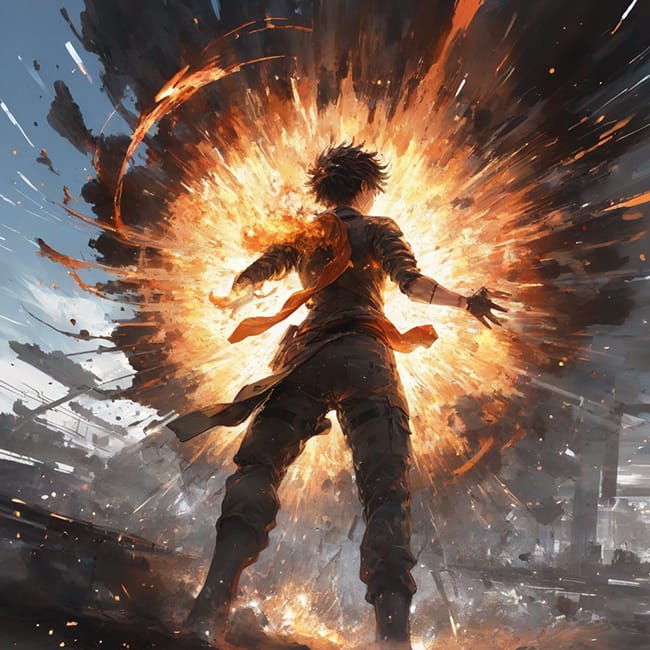
The fascinating new world of AI image generators – This image was generated with NeuroFlash
The best part? Many of these tools are available for free or require only a small fee. Two of the most well-known AI art generators are Midjourney and DALL-E , an image creation tool from OpenAI.
Some of the most outstanding works created by AI art generators are so impressive and realistic that they are almost indistinguishable from the work of a human artist. The most famous example is probably the painting “Théâtre D'opéra Spatial ,” which was created using such a generator and even won a prestigious art prize.
Nevertheless, there is also criticism (keyword: copyright) and ethical questions surrounding the use of AI in the art world – but more on that later.
Overall, however, these tools offer a captivating future for creativity and allow us to discover new horizons in art.
What are AI art generators?
AI art generators are an exciting tool for creative people. They offer a unique way to create art with a combination of human creativity and artificial intelligence.
These text-to-image generators can create images, text, and even entire websites . The best AI art generators use advanced algorithms and technologies combined with massive amounts of data to generate high-quality images.
A welcome advantage of Generative AI is its ability to provide free trials, starter packages with initial credits, or even completely free AI image tools that anyone can use.
AI image generators are currently extremely popular, and for good reason: a year ago, they were quite poor. While the underlying technology was impressive to researchers and tech enthusiasts, the generated images were rather disappointing for the general public. Even the original DALL·E in 2021 was more of an amusing novelty than a groundbreaking discovery.
But that has since changed!
Here is an example of a work created using a text-to-image generator (working time = 3 seconds 😉 ):
AI image – text prompt used: painting of tall tower from above the clouds, intricate abstract. delicate artwork. by Tooth Wu, wlop, beeple, dan mumford. octane render, trending on artstation, greg rutkowski very coherent symmetrical artwork. cinematic, hyper realism, high detail, octane render, 8k, depth of field, bokeh. chrome accents.
What's new in 2026?
By 2026, artificial intelligence for generating visual content will have reached a stage of industrial maturity , far surpassing the experimental beginnings of the early 2020s. What was initially considered a technological gimmick has now become a crucial pillar of the global creative economy; it is estimated that over 15 billion images have been created by generative systems in the last 18 months alone.
This enormous output of synthetic media far surpasses traditional photography, which took almost 150 years to produce a comparable number of images. By 2026, it's no longer just about sheer production capacity; the focus is now on integration into professional workflows, maintaining authenticity, and complying with strict regulatory frameworks such as the EU AI Act.
A key factor in this development was the realization that, paradoxically, "perfect" AI images inspire less trust. "Authentic imperfection" has become the trend; users prefer images that depict real moments – with natural skin textures, film grain, and asymmetrical compositions. Interestingly, this trend coincides with a rise in consumer acceptance: more than 62% now agree that brands should be allowed to use AI in advertising, as long as the quality meets professional standards.
Physics-based simulation and world models
With models like Sora 2 and Nano Banana Pro, it's possible to integrate physical simulations directly into the generation process. This means the AI not only learns pixel patterns but also understands the fundamental laws of the world. For example, when a digital character throws a ball, the model calculates the trajectory, light interaction, and material deformation in real time, taking all these factors into account.
The quality of product visualizations has revolutionized this ability because reflections on glass, metal, or water are now represented with physical accuracy.
Speculative decoding and efficiency
To meet the enormous computational demands of these models, scientists have designed "Quantum Echoes" method and new scheduling methods like LAVA(draft model) predictions that a larger, more powerful model (verifier model) confirms in blocks. Models like Gemini 3 Pro achieve a generation speed of under 5 seconds without compromising quality.
How do AI image generators work?
An AI image generator , also known as an AI image generator or AI art generator , is software that uses artificial intelligence to create new images or edit existing ones.
By analyzing huge amounts of data and recognizing patterns, these AI tools generate unique visual representations.
These can be realistic portraits or abstract artworks . To create photos with an AI image generator, either text, an image, or both can be used as input for the desired image ( text-to-image and image-to-image ).
The possibilities for using such AI-generated images are diverse: in the fields of art, design, animation, film production, web design as well as video games and online marketing .
They are used in both the consumer and B2B/B2C sectors. With the help of an AI image generator, not only realistic photos can be created; it is also possible to generate fantasy images and unrealistic photos – for example, a monkey in an astronaut suit.
Creating AI Images – From Prompt to Image
At the beginning, you enter a description of the image or a hint, i.e. an explanation of the image, in the input field of the AI image generator.
This can be something simple like “a group of cars driving down a street” , but also a very complex instruction.
Photorealistic AI image, generated with a text-to-image generator (Text Prompt = a group of cars driving down a street)
A detailed description could read: “a group of cars driving down a street next to tall buildings, a matte painting by andrey yefimovich martynov, pixiv, superflat, streetscape, anamorphic lens flare, photo taken with ektachrome” .
Afterwards, the system processes the text and analyses its meaning. After the analysis, the image is generated. Based on the input data, the AI creates a new image using patterns and features from a large number of example photos. Once the new image has been generated, the output of this new image follows.
Here is the stylized image with a detailed description:
Stylized AI image generated with a text-to-image image generator (Text Prompt = a group of cars driving down a street next to tall buildings, a matte painting by andrey yefimovich martynov, pixiv, superflat, streetscape, anamorphic lens flare, photo taken with ektachrome)
Do you see the differences? Exactly!
Common problems and limitations of AI art generators
The quality and precision of the AI images depend on the input prompt text. Nevertheless, specific AI models and the training data used can lead to other errors. Some models are better at generating certain types of images than others.
However, it is important to remember that AI image generators are not error-free.
If you generated AI images, one should be aware that obvious errors are often noticeable in the hands or even in buildings.
Known issues with image results:
Unfavourable appearances of the hands, whether due to their inappropriate length or shortness, thickness or thinness, as well as the absence or presence of extra fingers.
that is too smooth, without any wrinkles or irregularities.
Poor design quality (crooked windows and doors, unbalanced proportions in bridges). Signage that makes no sense and is therefore out of place.
Duplications of elements as well as errors in their representation.
Artificial light that looks unnatural and shadows that are not rendered correctly.
The quality and creative depth do not reach the level of a human being.
Abstract concepts or subtle emotions are harder for AI to grasp.
It is important to ensure that images do not constitute plagiarism and comply with ethical standards as well as privacy Additionally, the creation and distribution of so-called deep fakes should be avoided!
Why you can trust our recommendations
As the editor of this article, I can look back on over 17 years of experience as a web designer, freelancer, and entrepreneur. During this time, I have gained valuable experience with hundreds of products, apps, SaaS providers, and tools in the fields of image editing and AI, both as a user and as an expert and partner.
Additionally, our team is always working to provide you with objective rankings and information with complete editorial independence. For this, we also work closely with industry experts.
We base our content on product data, structured methods, first-person tests, and expert opinions to enable you to make informed decisions for your individual use case.
Recommendation criteria. How do we select the tools?
When selecting the bestAI image generators, we analyzed the options based on cost, ease of use, features, image quality, customization options, and user reviews. At the same time, our assessments were based on technical benchmarks (LM Arena) , market acceptance, and specific performance characteristics.
After careful review, we have identified and listed the top options to best assist you in selecting the right solution for your individual needs and budget.
Independent, unbiased and free thanks to your click
Links marked with asymbol or an asterisk are affiliate links. We only recommend products we use (or would use) ourselves. If you visit affiliate links in our content, we may receive a commission on your purchase (at no extra cost to you). This helps fund the free editorial content we provide to you (more details here).
The best AI art generators (including free tools)
Over the past year, AI image generators have sprung up like mushrooms, and their development cycles have unfolded before our eyes at breakneck speed. Keeping track of them all isn't easy. Therefore, the table below provides a handy comparison of our top picks.
28 Top Generative AI Tools in a Clear Direct Comparison
The possibilities offered by innovative AI image generators are simply amazing! That is undisputed. With the right text prompts and a few mouse clicks, impressive images can be created within seconds, bringing your creative ideas to life.
However, it is worth mentioning that not every AI image generator will be suitable for you and your individual needs. Despite many overlaps and similarities, not all AI image generators are the same. Some have their own style, while others are better suited for specific types of AI images. The limitations regarding volume, extras, and quality must also be taken into account.
Above all, it depends on the type of images you want to create and how many of them are needed. I would like to help you choose the right tools that precisely meet your requirements.
01 Midjourney
Midjourney is an outstanding AI image generator and is at the top of the podium in terms of image quality
Midjourney is an outstanding AI image generator that impressed us in the test, especially with its excellent image quality. Compared to other tools, it stands out significantly and is therefore our market leader in terms of performance and quality.
Midjourney remains the undisputed champion when it comes to artistic vision and cinematic aesthetics .
The high fantasy and masterful lighting are hallmarks unmatched by any other tool. Version 7.0 has overcome its Discord dependency with a powerful web UI and now offers integrated animation tools for generated images. It's ideal for concept art and creative brainstorming where mood is more important than precise technical execution.
Settings and parameter options
Furthermore, Midjourney offers a wide range of advanced settings and parameters . This allows you to generate images exactly according to your specifications.
avoid vague ambiguities in your instructions using "Multi Prompts"
With Midjourney, you also have the option to upscale images, create variations of an image, and upload reference images (image-to-image).
You can also enter descriptions for your images or zoom out from an image (outpainting).
User-friendliness
The only downside to all this performance, in our opinion, is the somewhat shallower learning curve for newcomers. The interface can be a little confusing for beginners, as the tool is integrated into the chat service "Discord" and can only be used within the Discord interface.
To generate an image, you first need to log in to Discord and join the Midjourney server. There, you then select one of the nearly 200 newbie rooms.
Once you “/imagine” followed by your self-provided prompt in the chat, your image will be generated by the Midjourney AI. Since many users do this simultaneously, it can sometimes become hectic and confusing.
Image quality
The images from Midjourney are characterised by their vibrant colours and dynamic representation. They are rich in details, complex textures, and impressive light effects.
This unique image quality far surpasses other image generators. If I had to describe the style in a single word, I would call it "canvas-worthy" .
Community Showcase – These AI images were created with the generative AI tool Midjourney (screenshot from 12/10/25)
Free use and prices
The free use of Midjourney was recently abolished. Registration on Discord remains free.
The free quota of 25 AI images is sufficient to get a first impression of the unique style of this artificial intelligence. In this way, you can casually convince yourself of the impressive results and find out if Midjourney is the right AI image generator for you.
If you are then convinced by the possibilities, you have the option to upgrade to a premium subscription at any time and get even more out of your creativity.
For art lovers with a penchant for AI, we recommend the “Standard Plan”generating AI images at a slower rendering speed once your free quota is used up.
Frequently Asked Questions about Midjourney
How can you use Midjourney?
To work on this platform, a Discord account is required. There, you have the opportunity to use the tool specifically for creating images through so-called prompts. After you have selected a prompt, four image suggestions will be presented to you, ready for download.
What does Midjourney cost? Is the AI free?
Midjourney previously allowed users to access its image generator for free, to a limited extent, via Discord. This free access to Midjourney was recently discontinued. The reason given was that this was to counteract the increasing prevalence of deepfake images.
If you want to use Midjourney, you have the choice between three different subscription models. If 200 prompt inputs per month meet your needs, the monthly price is approximately 10 US dollars.
Can Midjourney also be used in German language?
In principle, it is possible to understand and use midjourney prompts in German. Although the user interface is in English, you can still operate it using German instructions. However, the tool works better when used in English.
Nano Banana Pro. Prompt used: Turn this photo into a character figure. Behind it, place a box with the character's image printed on it, and a computer showing the blender modeling process on its creen. In front of the box, add a round plastic base with the character figure standing on it. Set the scene indoors if possible
In 2026, Nano Banana Pro be considered the ultimate in realism and physical accuracy. It is the next generation of the Gemini ecosystem and was designed with the needs of professionals in mind.
Specific strengths
The model impresses with its near-perfect consistency of characters across different scenes – a quality essential for brand identities and influencer marketing. It captures textures like no other model, with glass and water appearing almost real.
It is also the leader in in-image text rendering , which enables the creation of infographics with accurate data.
Performance: It reached a peak score of 1264 points in the LM Arena Image Leaderboard.
As the flagship of the open-weight models, Flux 2 Max is the most flexible model for developers and power users.
Special strengths
It enables execution on high-performance hardware (e.g., RTX 4090) and allows full control of all parameters. Thanks to LoRa support, users can train the model with their own datasets to ensure a specific house style.
It is also known for its remarkable aesthetic diversity, ranging from cool photorealism to complex digital illustrations.
Leonardo.ai is an innovative Generative AI Generator for image generation, image editing, and 3D textures
Leonardo.ai is an advanced and creative AI image generator specializing in creating game content such as textures, items, and concept art.
The Leonardo dashboard allows for extensive free use of this tool. Using sophisticated algorithms and functions, Leonardo.ai generates impressive images based on the Stable Diffusion Model and powered by artificial intelligence.
It offers a wide range of possibilities for creating artworks using AI.
Variety of functions and adjustment options
Users can choose from various algorithms and even train their own models or use models provided by the community. A wide range of settings and styles to customize the images as desired.
In addition, Canvas mode options for editing previously created or uploaded images.
The further development of 3D textures is another application area of this tool. Breathe unprecedented life into your 3D objects . Simply upload your OBJ file, use the intelligent context technology to generate suitable textures, and receive customized files for a wide range of applications.
A tool called Leonardo Alchemy deserves special attention. It's an advanced software that generates high-resolution artwork. However, Alchemy is a paid program and therefore not available in the free version.
Through its own API , Leonardo.Ai opens up a world of possibilities for B2B and enterprise applications . Any company that needs a consistent, efficient, and cost-effective method for generating high-quality assets or textures has access to a data interface and the provider's development team.
Image quality
The free version already delivers good results. However, a paid Alchemy subscription is required for truly high-resolution and highly detailed image results.
A selection of images from Leonardo AI
Free use and prices
The service is based on the use of "tokens ," which function similarly to credits in other tools . Each time an image is generated or other actions are performed, such as upscaling the resolution, a certain number of tokens are consumed.
You start with 250 free tokens, which automatically replenish after a certain period. There is also a paid version with additional features and even more customizable models to choose from.
The AI image generator Artsmart AI – a user-friendly and beginner-friendly tool with first-class results
Although Artsmart.ai was slightly inferior to Midjourney in terms of image quality and features, the AI image generator secured a solid second place in our product comparison.
Artsmart AI proves to be an excellent AI art generator and represents a good alternative to Midjourney. particularly well-suited for beginners in the field of AI image generation.
With its user-friendly interface and powerful features, it enables the creation of high-quality digital artworks without the need to resort to Photoshop & Co.
Variety of functions and adjustment options
This app has two main features. First, it offers a wide range of advanced customization options for the prompts, as well as various modes , including the “Hyper Realistic” mode, which produces photorealistic images. Second, the app boasts impressive editing capabilities that allow you to adjust or enhance your generated images directly within the application.
The following options are available to you:
Inpaint (remove or change parts of an image)
Face Enhance (to improve facial distortions)
Upscaling
Cutting
Add text
Remove background
PoseCopycat (to clone a pose from an existing image)
PosePerfect (to adjust a pose by dragging)
In addition, Artsmart enables the creation of individual AI avatars, which can be used in various scenarios.
User-friendliness
The user interface of Artsmart is designed to be extremely attractive and easy to understand for beginners. The heart of the application, the Playground offers a seamless experience where you can create impressive AI-generated images through simple text input and the selection of image sizes.
Unlike Midjourney, where you are left to your own devices when writing prompts, ArtSmart allows you to customise your prompts using various modes, presets, and camera angles, as well as by selecting from dropdown menus for art styles and artists.
Image quality
The quality of the generated images proves to be extremely good. Although they do not quite reach the outstanding quality of Midjourney, they mostly impress with successful exposure, a uniform colour spectrum, and high detail accuracy.
Free use and prices
To use the service, it is necessary to purchase a paid subscription. There is no free trial access available.
ArtSmart offers its customers more attractive prices compared to Midjourney. With an annual payment plan, the packages start at just 6 per month. For this, the user receives 1,000 credits, which can be used to generate images.
The prices are extremely fair and in line with the performance offered. In addition, the tool offers various packages to meet the different needs of users.
Stability.ai DreamStudio – User Interface (click to enlarge)
DreamStudio is a platform for generating images using artificial intelligence, developed by Stability.ai. Here you have the opportunity to try out the latest stable diffusion models in real time.
Compared to many other AI image tools, DreamStudio offers only a limited selection of predefined styles or support for input text, which is why I cannot necessarily recommend it for beginners.
Variety of functions and adjustment options
Furthermore, the options for post-processing the AI-generated images are rather limited. Nevertheless, the essential settings are available, including negative prompts , aspect ratio , number of images , generation steps , and the selection of the stable diffusion model .
You also have the option to upload your own image as a template ( image-to-image ).
User-friendliness
The user interface is clearly structured and minimalist in design. DreamStudio possesses a feature that Midjourney lacks: an excellent user interface. The interface is enjoyable and encourages experimentation with the various options and parameters, without requiring you to be an experienced programmer.
Image quality
The results are appealing to very appealing, and the user-friendly design encourages longer engagement and more experimentation with images. Therefore, I would recommend DreamStudio primarily to those who have a specific vision for their AI-generated artwork.
Our juicy anime-style steak dish, served fresh by DreamStudio Prompt used:Sizzling hot sirloin steak with a perfect crust, seared to perfection and topped with herbs and spices, served with a side of roasted vegetables and mashed potatoes, juicy, delicious, high detail
Free use and prices
Registration can be done with a single click using a Google account or an email address. After initial registration, 25 free credits are available, enough for approximately 125 images. Afterward, an additional 1,000 credits can be purchased for $10, allowing for roughly 5,000 images – an extremely good value.
Compared to DALL·E 2, DALL·E 3 offers some significant improvements
OpenAI has recently faced some challenges, largely related to leadership and ethical issues. Despite these problems, there is widespread agreement that the company produces excellent products, including ChatGPT,Codex , and, most recently, its latest image generation model, DALL-E 3 .
Released in October 2023, DALL-E 3 represents a significant advancement over its predecessor, DALL-E 2. This new model focuses heavily on key areas such as rapid understanding, text generation, and creativity, offering a groundbreaking improvement for users seeking precise and creative AI image generation.
Key Features at a Glance
Creates extremely realistic images in seconds
Especially suitable for: illustrations, products
Easy-to-use interface
Adjustments possible on multiple image layers
Restrictions on the depiction of living persons
Functionality and settings
One of DALL-E 3's standout features is its ability to eliminate complicated command-line techniques. Particularly noteworthy is its ability to ensure that not a single word in the prompt is ignored, resulting in a significantly more precise and user-friendly interaction.
This means that users no longer need to master complex techniques to achieve high-quality results.
User-friendliness & Application
DALL-E 3 does not offer its own user interface. You can use DALL·E 3 via three different platforms:
With Bing Image Creator , you can create AI-generated images for free. You receive 100 credits per month, which allow you to generate up to 400 images.
DALL·E 3 is also available within Microsoft Copilot (formerly known as Bing Chat). Similar to Image Creator, creating AI-generated images free.
Additionally, DALL·E 3 can be integrated directly into its sister product , ChatGPT . However, in this case, image generation is a paid feature requiring a ChatGPT Plus subscription for $20 per month.
Image quality
The quality of the AI-generated images is very good. DALL·E 3 represents a significant improvement over DALL·E 2. However, one drawback is that it is unfortunately not ideally suited for photorealistic AI images.
Furthermore, DALL·E 3 has a very strict content policy; for example, people who lived in the last 100 years may not be depicted.
Free use and prices
As mentioned previously, limited free use is possible via Bing Image Creator and Microsoft Copilot. As an extension of ChatGPT, it costs $20 per month.
ImageFlash is the AI image generator from the Hamburg-based AI company Neuroflash and our personal choice
Neuroflash , a Hamburg-based company, offers not only an AI text generator but also an impressive image generation function . This innovative and very easy-to-use application allows users to create images using German text input.
Key Features at a Glance
Creates detailed images in seconds
3 different AI models to choose from
Especially suitable for: Illustrations, Fantasy, Fan Art, Surrealism, Concept Art, Character Design, realistic images
Extremely easy-to-use interface
No adjustments or image editing possible
Variety of functions and adjustment options
With ImageFlash from Neuroflash, you can adjust the size of the generated images, select the AI model (Standard, Premium or Dall-E 3) and choose the number of variants.
Although the tool is easy to use thanks to its minimalist user interface and is therefore also suitable for beginners, this also entails a few limitations.
For example, there is a lack of advanced settings options, predefined modes, or support for text specifications.
ease of use is definitely a . Images can be generated directly without any setup time. The help function in the prompts provides inspiration if you have trouble with your own wording for the input text. The prompts can thus be specifically optimized with a click, depending on the application.
For these reasons, and thanks to the possibility of achieving excellent quality with DALL·E 3, this tool is the personal choice of our editorial team .
Image quality
The generated images cannot be directly edited or enhanced within the application. Image quality in standard mode can be considered slightly above average. Excellent results can be achieved with Premium and Dall-E 3 modes.
And so Neuroflash serves us our schnitzel with the Dall-E 3 AI model (less anime style, but more realistic)
While our test images with the standard model were appealing and produced aesthetically pleasing results, there is still room for improvement. Besides realistic images, ImageFlash's strengths lie primarily in creating fantasy scenes, anime character designs, and surreal images.
Due to DALL-E 3's limitations in drawing inspiration from contemporary artists' styles, we generated the following images using the premium model from Neuroflash:
Text used Prompt: The goddess of chaos intricate elegant, highly detailed, digital painting, artstation, concept art, smooth, sharp focus, illustration, art by artgerm and greg rutkowski and alphonse mucha, heavily influenced by frank frazetta and boris vallejo
Text used Prompt: A city under the sea, in style of johan grenier, greg rutkowski, artstation, 8 k 3 d, unreal engine, highly detailed, octane render, very intricate, cinematic lighting
a wholesome animation key shot of santa claus giving presents, medium shot, studio ghibli, pixar and disney animation, sharp, very detailed, high resolution, rendered in unreal engine 5, anime key art by greg rutkowski, bloom, dramatic lighting
Free use and prices
Unfortunately, ImageFlash cannot be purchased independently, which is why it will only be of interest to the majority of users if they also choose Neuroflash as a content creation tool.
With the free "Free" package, you can generate up to 5 AI-generated images per month. From €30 per month, this increases to 30 images.
09 Microsoft Designer's Image Creator (formerly Bing Image Creator)
Microsoft Designer's Image Creator (formerly Bing Image Creator)
The image generator in Microsoft Designer is based on DALL-E 3, the latest image generation model from OpenAI.
MicrosoftCopilot AI chatbot (formerly Bing Chat). This means you can not only access the image generator via the Image Creator website, but also create images directly through Copilot.
A simple command to Copilot is all it takes to generate any image. This integration allows you to meet both your image generation and AI chat needs in one place, free of charge. This proves extremely practical, for example, when planning events that require both text and images.
You can ask Copilot to develop themes for your event and generate suitable images. Please note that using a school or work account may result in limitations regarding image generation. Therefore, using a personal account is recommended.
Key Features at a Glance
Based on DALL-E 3
Free to use (Microsoft account required)
Especially suitable for: illustrations, advertising graphics, realistic images
Very easy-to-use interface
DALL-E 3 free with AI-powered chat using the Bing mobile app
No adjustments or image editing possible
Image quality
The quality of the AI-generated images is very good, as the AI image generator from DALL·E 3 is used.
And so, the MS Designer's Image Creator serves us our juicy schnitzel
Free use and prices
Microsoft Designer's Image Creator offers comparable quality to DALL-E, but completely free of charge.
You do not need a $20 per month ChatGPT Plus subscription to use DALL-E. To use the image generator, visit the Image Creator website, sign in with a Microsoft account, or create a new one for free if you don't already have one.
Playground AI is another free online image editing tool that allows both professionals and beginners to create impressive images. Thanks to its advanced AI technology, users can easily create artwork, advertising graphics, and realistic images.
Playground AI's intuitive operation is particularly noteworthy, allowing users to effortlessly edit and enlarge images. The use of artificial intelligence makes the entire editing process more efficient and user-friendly.
Key Features at a Glance
AI image generation and AI image processing
Free to use for up to 15 images per 3 hours
Especially suitable for: illustrations, advertising graphics, posters, social media, wallpapers, memes, t-shirt designs, stickers and invitation cards
Very easy-to-use interface
Numerous iterations and adjustments are possible
Variety of functions and adjustment options
Playground AI presents a diverse range of applications, including innovative image editing through the fused use of real and AI-generated media, individual image customization based on text input, and lossless image enlargement by extending their borders.
Let's take a closer look at the individual aspects:
Merging of real and digital images : With Playground AI, you can merge real and digital images to create unique and artistic compositions that immediately catch the eye.
Individuality in image creation: Playground AI grants you unlimited creative freedom to edit images in a completely personal way. Artistic adjustments are made possible solely through text input, precisely realizing your vision.
Oversized image enhancement : The application offers a wide range of tools and functions to enhance and optimize your images, allowing you to go beyond their original limitations and unlock their maximum potential.
Image quality
We appreciate the straightforward text-to-image generation process, achieved through the integration of Stable Diffusion as a front end while retaining advanced features like exclusions, seeds, and models. We are eager to see improvements in resizing, as these are currently limited.
The image results are mediocre, but perfectly adequate for many purposes.
Our schnitzel à la Playground AI
Free use and prices
In addition to the free version (15 AI images every 3 hours), there is also a Pro version for $15 per month (75 images per 3 hours) and a DALL-E 2 add-on for $10 per month.
Last year, the Canadian company Ideogram presented an innovative AI-powered image generation service with a remarkable feature: the team's consistent goal of integrating text into the AI image process—a challenge that often poses significant difficulties for many other platforms. Their success with this approach is impressive. For the first time, designers and typography enthusiasts have the opportunity to use an AI tool to create sophisticated, high-quality work. Text is no longer a taboo element.
Since February 2024, Ideogram 1.0 has been freely available to all users. A new feature of this optimized version is the so-called Magic Prompt , which can be activated or deactivated as desired.
While many leading AI image generators we tested produce charming anime and fantasy-style images, Ideogram high-resolution images with outstanding font integration . This subtle yet crucial differentiation opens up entirely new design possibilities, such as creating logos or humorous elements, as well as other image applications previously impossible with traditional AI platforms.
Naturally, the market is constantly evolving. Alternative solutions like Stable Diffusion 3 are poised to enter the market. However, Ideogram currently maintains its leading role in AI text integration .
Key Features at a Glance
AI image generation with outstanding font integration
Free to use for up to 20 images per day (at reduced speed)
Especially suitable for: typography, illustrations, advertising graphics, logo design, posters, social media, wallpapers, memes, t-shirt designs, stickers and invitation cards
Very easy-to-use interface
Designer-friendly 2K resolution
Variety of functions and adjustment options
Ideogram's homepage impresses with its understated elegance, but this comes with a certain challenge: browsing the platform is not possible before registration. This limitation might hesitate potential users, as access to the community's extensive image collection is only granted after registration (which can be done quickly with a Google account).
Only after registration does the platform unfold its full potential through two exceptional features:
Firstly, the practical three-dot menu for the remixing and extensive editing of community images, as well as the use and refinement of their creation prompts .
"Describe" option offers a way to generate detailed prompts. This transformative feature takes basic prompts to a new level, leveraging cutting-edge AI technology to deliver visually stunning results.
Ideogram offers extensive editing options for existing AI images from the community
Despite minor flaws, Ideogram marks a promising entry into a world where users can unleash their creativity and explore new visual dimensions.
Extensive features for editing and further processing community images. Shown here are Ideogram's impressive typography capabilities
The typography shown above (the observant reader will notice: we're sticking with the steak theme) illustrates one of the key advantages of using Ideogram compared to the leading AI art and image generators that have entered the market in recent years. The platform aimsto help users get the most out of their image creation credits.Even usersof the free plan benefit from these features, although upgrading to a paid plan is necessary to edit, upscale, or download images at 100% quality.
Finding the right prompt can be a significant challenge for beginners. Therefore, it's extremely helpful to be able to use community images on the homepage as a source of inspirationCreating a remix of a sample image is also an excellent way to quickly and easily create something new based on an existing user image. While it might initially seem like a shortcut, users of paid plans have the option to keep their images private , giving them complete control over access.
Overall, Ideogram enables the quick and effortless creation of appealing, rich images. The introduction of the "Magic" prompt feature , while not exclusive to Ideogram, represents an excellent way to minimize user frustration caused by inadequate prompts. Furthermore, the new upscaling function an effective method for delivering professional-quality images, ideal for commercial applications in fields such as advertising and marketing.
In the area of image editing, however, the platform is somewhat limited. Features like outpainting or inpainting are lacking, so editing options are restricted to cropping, zooming, color selection, and adjusting the aspect ratio. The most valuable editing option is the ability to define text positions on a generated image and add the desired text using an updated prompt and the remix function.
This proves particularly useful for integrating or adjusting precise text, which is especially important when designing logos or other brand elements. It's unfortunate that the platform doesn't offer a wider range of image editing tools compared to other services.
Image quality
While the consistency and coherence of the results don't quite match those of Midjourney, they are approaching them favorably. Ideogram is currently available version 2.0
And so Ideogram serves us our schnitzel… in a juicy gravy with wonderful reflections
Free use and prices
Ideogram offers a free plan that provides 20 images daily via a slow generation process. The speed of this generation varies depending on service load, but our test results ranged between an acceptable 25 and 40 seconds. In addition, the free plan grants access to the community image gallery, allows the use of the describe tool, and permits the download of JPG (70% quality) and PNG image files.
Paid options start at $8 per month for the basic plan , which includes 400 prompts per month. This plan also includes a user-friendly image editor, high-quality 2K image upscaling, and image downloads at an impressive 100% quality.
Ideogram's fee structure (for monthly payments)
Users of the Plus and Pro plans also benefit from the option to keep their images private, thus preventing access to their work from the public gallery. They also have the option to upload their own artwork for revision. Another highlight for paying users is the ability to create seamless, repeating tile patterns, which is particularly advantageous for design projects such as creating textures or backgrounds.
Adobe is considered the undisputed leader in photo and design software, which is why the Firefly AI image generator . Firefly offers a range of sophisticated features that allow you to create artwork or artistic photographs according to your vision, all within a typical, outstanding Adobe user interface.
Furthermore, it supports features in some of the company's other applications—most notably Photoshop and Illustrator—and integrates seamlessly with Adobe Express, Adobe's user-friendly online design tool. Nevertheless, the results Firefly delivers are only slightly above average.
Key Features at a Glance
AI image generation with outstanding integration to Adobe's product range
Free to use for up to 25 images per month (at reduced speed)
Especially suitable for: illustrations, advertising graphics, posters, social media, wallpapers, memes, t-shirt designs, vector graphics
Very easy-to-use interface
Numerous templates and inspirations
Generative AI for images, video, audio, and vector graphics
Variety of functions and adjustment options
"text-to-image"conversion, which allows you to transform simple words into vibrant pictures."text-to-vector"function. This enables users to create their ideas as vector graphics, which is crucial for a wide range of digital design applications. Vector graphics are characterized by their scalability without loss of quality – ideal for logos or illustrations, which we often need in various sizes.Creating art from textis thus significantly faster.
Another feature is the so-called "generative fill ." This function allows you to selectively add or remove objects from your designs based solely on your text instructions. For example, you might see an image of a beach and decide to add a sunset—simply describe your vision in a few words, and Firefly will bring it to life.
For designers who want to experiment with color variations, Adobe Firefly also offers tools. Users can generate different color variations of their vector files through precise text descriptions. This not only opens up new creative possibilities but also helps find the perfect shade for each project.
Furthermore, there is the “Scene to Image” (currently in beta), which allows users to convert complex 3D scenes into impressive 2D images. This function focuses on the creative process and allows users to bring their ideas to life through simple text commands.
In addition to the quick mode, the text-to-image generator allows for extensive fine-tuning : aspect ratio, content type, composition, style, effects, color and tone, lighting, and camera angle. Furthermore, image editing and conversions can be performed directly within Firefly using integrated Adobe apps.
Firefly's text-to-image generator with numerous settings options
Image quality
While Firefly Image 2 delivered rather average results, version 3 produces very detailed images in high resolution.
Our steak – created with Adobe Firefly Image 3
Free use and prices
The Firefly web app is available free of charge, but requires a Creative Cloud, Adobe Firefly, or Adobe Express account. This free access provides credits for 25 images per month, and your results will be watermarked. However, the user interface remains ad-free.
A Firefly Standard plan, costing €10.98 per month, increases your image credits to 2,000, removes watermarks, and gives you unlimited access to image and vector graphics features like "Text to Image" and "Generative Fill." This plan also allows you to generate up to 20 five-second videos or translate up to six minutes of video or audio.
Additionally, there is the Adobe Firefly Pro plan for €32.99 per month, which provides you with 7,000 credits and allows you to generate up to 70 five-second videos or translate up to 23 minutes of video or audio material.
New aesthetic movements have emerged as a result of technological advancements.
In 2026, the most significant trend is the “movement away from perfection” . In a world where everyone can create a perfect image, imperfection will become the new luxury item.
Authenticity and focus on people
Today, designers are deliberately using AI to "real" moments. This includes incorporating optical flaws like lens flares, chromatic aberrations, and natural blur, which are common in smartphone photos. On social media, this "smartphone aesthetic" significantly higher engagement rates than highly polished studio shots because it conveys trust and emotional honesty.
Design that appeals to the senses and is immersive
Sensory -driven design is another trend. So-called textures are made tangible in images – be it the roughness of concrete or the softness of velvet. This is made possible by physically informed models that offer a precise simulation of material properties. The combination with VR/AR technologies creates such immersive brand worlds, in which digital assets and physical objects merge.
Adaptive Brand Identities
By 2026, major brands will abandon static logos. AI-powered design systems will be able to adapt visual identities to viewers in real time. For a user in New York, a brand might adopt an urban, cool aesthetic, while for a user in Tokyo, it will automatically switch to local color schemes and cultural symbols.
The AI ensures the preservation of the brand's core DNA while dynamically morphing the presentation.”
Regulatory framework: The EU AI Act 2026
August 2nd, 2024 marked a decisive turning point for the world of image generators. On January 1st, 2024, the EU AI Act into force in its full scope, establishing the world's first comprehensive legal framework for artificial intelligence.
Obligation to label and disclose
Article 50 of the AI Act states that all AI-generated or manipulated content that could be perceived as "authentic" (such as photorealistic people) must be clearly and unambiguously labeled as such. This applies not only to deepfakes but also to advertising photography and social media posts. All works that are clearly artistic, satirical, or fictional and do not endanger public order are exempt.
Copyright and Opt-Out
Since 2026, image generator developers have been required to provide a detailed overview of the training data they use. They must also create the technical infrastructure to respect artists' opt-out requests. The unauthorized inclusion of copyrighted works in training sets can result in fines of up to 7% of global annual revenue.
Governance and Risk Management
This necessitates "human-in-the-loop" systems . An image is only legally unproblematic and does not require labeling if it has undergone human review and editorial responsibility. New job profiles, such as the "AI Compliance Officer for Creative Assets," have emerged as a result.
Summary and Outlook
By 2026, the landscape of AI image generators is a highly efficient ecosystem, thriving through the collaboration of human creativity and machine precision. Thanks to physical world models and sophisticated architectures, technological progress has crossed the line from mere imitation to true simulation of reality.
Although tools like Nano Banana Pro and Midjourney represent cutting-edge technology, regulatory measures such as the EU AI Act ensure that innovation proceeds in an orderly manner and that the rights of creators are protected. In the future, an even closer integration of images, video, and interactive 3D environments is expected, while AI increasingly functions as a universal design assistant capable of realizing complex visions in fractions of a second.
In 2026, the most successful players will be those who can combine the high efficiency of AI with the indispensable human sense of authenticity and ethics.”
Our testing methodology and Kunstplaza's self-understanding of honest and professional reviews
Finally, we would like to share a few lines about our understanding of honest, helpful, and authentic reviews.
Which guidelines are we committed to:
Complete weighing of all pros and cons
Clarification and naming of the facts
Reliable research (two-source principle where possible) and personal testing ( first-hand experience )
Authentic opinion (would we use the provider ourselves) from experts & professionals
Dealing with user criticism from review platforms
Naming alternatives
Transparency regarding remuneration and financing (see affiliation notice at the very bottom)
Avoidance of economic directives and dependence on the mentioned providers
About our experts
During the research phase, as product testers or users from the professional creative field, and as valuable advisors, we were assisted by a number of established and experienced creative professionals for this article. We would like to briefly acknowledge them here.
Gor Gasparyan, Passionate Agency
Gor Gasparyan, Passionate Agency – Passionates
Gor Gasparyan is Chief Executive Officer and co-founder of Passionate Agency , based in London, where he develops design and technology roadmaps for growth-oriented corporate clients. The agency's employees utilize artificial intelligence in their creative workflows. Gor Gasparyan has been fortunate enough to work with their whitespace generation tools to scale projects and combine artistic and commercial objectives.
Gor's personal choice: MidJourney
“I love MidJourney because it even takes abstract prompts and then interprets them into visual images with a deep aesthetic. Many tools focus on photorealistic workflows, and the MidJourney approach allows you to brainstorm and create sketches that are closer to your sketchbook as an artist, where mistakes have personality. And that plays a very valuable role when we need a style guide or conceptual designs of images to align with our clients before we begin production.”.
MidJourney takes this balance into account: It's not about a perfect or calculated output, but rather a more serendipitous one that leads to new ways of working when we haven't planned for it. This element of surprise is incredibly valuable if we want to create something, because it requires us to pull the team out of its established visual osmosis and translate the ideas it arrives at into a value-based output
Flynn Zaige, Online Optimism
Flynn Zaige, Online Optimism
Flynn Zaiger is CEO of Online Optimism , a digital agency with twenty employees and offices in NYC and New Orleans. He has been recognized by Reuters for his expertise, and his agency has been named one of Inc. .
Flynn's personal choice: Ideogram AI
“As a digital marketer, I’ve found Ideogram to be the best generative AI tool for my industry. Ideogram is incredibly good at writing and is able to create text in exactly the right style and placement that I’m looking for. It’s able to correctly incorporate words or entire phrases without the annoying typographical errors that usually occur with other image generators.”.
One of my favorite features of Ideogram is the ability to create images in the exact aspect ratio I need, from panoramas to skyscraper-style graphics. For artists who need to create similar works to suit a variety of styles, Ideogram is essential for quickly delivering what our clients need, in any size they require
Chris Bajda, GroomsDay
Chris Bajda, GroomsDay
Chris Bajda is an e-commerce entrepreneur and managing partner of GroomsDay . There, he has spent over 15 years building a company focused on practical tools and systems to keep operations lean and customers satisfied. My work involves selecting platforms that actually deliver measurable results.
Chris' personal choice: MidJourney
“I view tools the same way we view the products we sell. MidJourney has proven to be the most helpful because the results are always consistent and I can create detailed product models, which saves time in the design process. I've tried others, but the precision of color, proportions, and lighting makes MidJourney superior.”.“
Affiliate Links Disclaimer: with a - symbol or an asterisk are affiliate links. As a general rule and without exception, we only recommend or link to products that we use (or would use) ourselves and all opinions expressed here are our own. Our product reviews and recommendations are independent and based on research, expert opinions, and/or product testing. If you click on affiliate links in our content, we may receive commissions for your purchases (at no extra cost to you), but we never receive any compensation or payment for the content of our recommendations. This is how we finance our editorial work and the magazine articles we provide to you free of charge (details in our Editorial Standards ). Read the full PrivacyPolicy .
Owner and Managing Director of Kunstplaza . Publicist, editor, and passionate blogger in the fields of art, design, and creativity since 2011. Graduated with a degree in web design from university (2008). Further developed creative techniques through courses in freehand drawing, expressive painting, and theatre/acting. Profound knowledge of the art market gained through years of journalistic research and numerous collaborations with key players and institutions in the arts and culture sector.
We use technologies such as cookies to store and/or access device information. We do this to improve your browsing experience and to display (non-)personalized advertising. If you consent to these technologies, we can process data such as browsing behavior or unique IDs on this website. Refusal or withdrawal of consent may adversely affect certain features and functions.
Functional
Always Active
Technical storage or access is strictly necessary for the legitimate purpose of enabling the use of a specific service expressly requested by the subscriber or user, or for the sole purpose of carrying out the transmission of a message over an electronic communications network.
Preferences
The technical storage or access is necessary for the legitimate purpose of storing preferences that were not requested by the subscriber or user.
statistics
Technical storage or access that is solely for statistical purposes.Technical storage or access that is used solely for anonymous statistical purposes. Without a subpoena, the voluntary consent of your internet service provider, or additional recording by third parties, the information stored or retrieved for this purpose cannot generally be used to identify you.
marketing
Technical storage or access is required to create user profiles, to send advertising, or to track the user on one or more websites for similar marketing purposes.



 (20 Credits)


