Image editing is one of the most essential skills in modern graphic design. Whether for marketing, art , or photography – image editing makes it possible to shape and enhance visual messages in a targeted way.
Today, graphic designers have numerous techniques at their disposal to optimize photos, add creative touches, and perfect details. This article provides a comprehensive overview of the fundamental photo editing techniques for Mac or Windows, helpful tips for professionals, and an insight into the use of AI and photo effects to make work more efficient and creative.
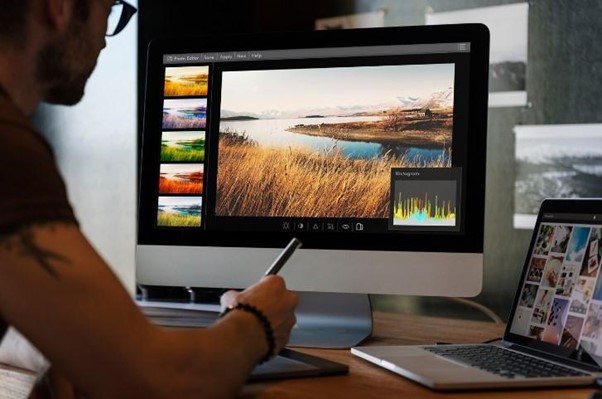
Learn more about basic image editing techniques on Mac or Windows . Image source: Freepik
Choosing the right image editing software depends on the individual needs and budget of the graphic designer. Free image editing programs or freeware often offer basic functions that are sufficient for beginners or smaller projects. However, many free programs lack advanced tools that professionals need for detailed work.
Paid photo editing software typically offers more comprehensive features and support, but often comes at a higher cost. It's important to find the right balance between cost and functionality to meet your individual needs.
Tip: Test before buying
Many paid image editing programs for Mac and Windows offer free trial versions . Take advantage of this opportunity to test the features and ease of use before deciding to purchase.
Understanding image composition
Before you start editing an image, you should understand its composition . The way elements are arranged in an image significantly influences how it is perceived.
One of the best-known rules is the "Golden Ratio" or the "Rule of Thirds." This rule divides the image into nine equal parts by dividing it into thirds both vertically and horizontally. The essential parts of the image should be placed along these lines or at their intersections to create a harmonious and appealing picture
Tip: Use grid lines
Grid lines or guidelines are useful tools for adhering to the rule of thirds. They help to position elements correctly and ensure that the image is visually balanced.
Color correction and color management
An important aspect of image editing is working with color. Often, unedited images appear flat or colorless, making them less appealing. This can be quickly remedied through color correction.
Brightness, contrast, and color saturation should be adjusted to make the colors appear more vibrant while maintaining a natural impression.
Tip: Use curves
Gradation curves offer a precise way to adjust brightness and contrast values without losing detail in the shadows or highlights. They are ideal for selectively adjusting individual areas of an image and fine-tuning tonal values.
Additionally, proper color management crucial. Graphic designers should ensure they are working on calibrated monitors to accurately reproduce colors, especially if the image is intended for print.
Retouching techniques: Optimizing the finer details
Image editing often involves removing minor flaws or unwanted elements. This can range from eliminating skin blemishes in a portrait to removing distracting objects from the background.
Tip 1: Non-destructive editing
Instead of working directly on the original image, you should always work in separate layers or with so-called masks. This technique allows you to make changes without permanently altering the original image. This way, you can undo or optimize adjustments at any time.
Tip 2: Clone Stamp and Repair Brush
The clone stamp and the healing brush are two of the most frequently used tools in retouching. While the clone stamp with pixel-perfect accuracy , the healing brush ensures that the new area blends seamlessly into its surroundings.
Both tools require some practice to achieve a realistic result, but offer immense control in correcting minor flaws.
Use of sharpness and blur selectively
A common problem with photos is a lack of sharpness. This can be caused by camera settings, movement, or poor lighting conditions. By using sharpening tools, an image can appear clearer and more precise.
Tip: Selective sharpening
Instead of sharpening the entire image, one should concentrate on the most important areas. Often, it is enough to sharpen the eyes in a portrait or certain details in a landscape photo to give the image more depth, while the background deliberately remains blurred.
However, blur can also be used as a creative tool. It directs the viewer's eye to specific areas of the image and creates a harmonious sense of depth.
Photo editing: By selectively using sharpening tools, an image can appear clearer and more precise. Image source: Freepik
Adjust contrast and dynamic range
Contrast plays a crucial role in how images are perceived. Too low a contrast often makes images appear pale and dull, while too high a contrast can obscure image details. Optimal contrast ensures a clear distinction between light and dark areas of the image without losing important details.
Tip: Dodge and Burn
"Dodge and burn" is a technique originating from analog photography and now widely used in digital image editing. It allows users to selectively lighten or darken areas of an image to influence the interplay of light and give the image more depth.
Correctly adjust image size and resolution
The correct image size and resolution are crucial, especially when the image is used for print or digital platforms. An image with too low a resolution can blurry or pixelated , while an excessively high resolution results in unnecessarily large file sizes and long loading times.
Tip: Scale image size without loss of quality
When resizing an image, care should be taken to maintain its quality. Some algorithms or editing techniques allow the image size to be adjusted without losing detail.
Add textures and effects
Textures and effects can give an image a special depth and atmosphere. Whether the goal is to give an image a vintage look or to make it appear more realistic – textures and effects offer versatile possibilities.
Tip: Use effects subtly
It is important to apply effects subtly to avoid making the image look artificial or cluttered. For example, a slight addition of grain can create the impression of analog film without distorting the image too much.
Photo effects for special accents
Photo effects can give an image a unique look and enhance the mood or atmosphere. Effects such as vignettes, blur, or color filters can draw attention to specific areas of the image or create a particular emotional impact.
However, they should be used selectively and sparingly to avoid cluttering the image. When used correctly, effects add a special touch to the image and make it more visually appealing.
Tip: Use effects subtly
Excessive use of effects can make the image look unnatural. Use effects sparingly to preserve the natural character of the image.
AI as a tool
Artificial intelligence (AI) has revolutionized image editing and photomontage by automating processes and expanding creative possibilities. AI can perform tasks such as background removal, skin retouching, and color correction faster and more accurately, saving time and increasing efficiency.
for creative effects such as style transfers or automatic image optimization . Nevertheless, human oversight remains important to achieve the best possible results.
Tip: Manually check AI results
AI can impressive results , but it's worthwhile to manually optimize them afterwards. This way, you can ensure that everything matches your creative vision.
Conclusion
Image editing is a combination of technology and creativity. With the right tools and techniques, you can not only correct mistakes but also achieve impressive visual effects. Whether color correction, retouching, or the use of effects – every editing step contributes to taking the image to the next level.
With the support of AI and the choice of the right image editing software, the process becomes even more efficient. Ultimately, it is the combination of technical knowledge and creative vision that transforms a good image into a great one.
Owner and Managing Director of Kunstplaza . Publicist, editor, and passionate blogger in the fields of art, design, and creativity since 2011. Graduated with a degree in web design from university (2008). Further developed creative techniques through courses in freehand drawing, expressive painting, and theatre/acting. Profound knowledge of the art market gained through years of journalistic research and numerous collaborations with key players and institutions in the arts and culture sector.
We use technologies such as cookies to store and/or access device information. We do this to improve your browsing experience and to display (non-)personalized advertising. If you consent to these technologies, we can process data such as browsing behavior or unique IDs on this website. Refusal or withdrawal of consent may adversely affect certain features and functions.
Functional
Always Active
Technical storage or access is strictly necessary for the legitimate purpose of enabling the use of a specific service expressly requested by the subscriber or user, or for the sole purpose of carrying out the transmission of a message over an electronic communications network.
Preferences
The technical storage or access is necessary for the legitimate purpose of storing preferences that were not requested by the subscriber or user.
statistics
Technical storage or access that is solely for statistical purposes.Technical storage or access that is used solely for anonymous statistical purposes. Without a subpoena, the voluntary consent of your internet service provider, or additional recording by third parties, the information stored or retrieved for this purpose cannot generally be used to identify you.
marketing
Technical storage or access is required to create user profiles, to send advertising, or to track the user on one or more websites for similar marketing purposes.



 Gemstone bracelet made of labradorite and natural freshwater pearls
34,90 €
Gemstone bracelet made of labradorite and natural freshwater pearls
34,90 €


