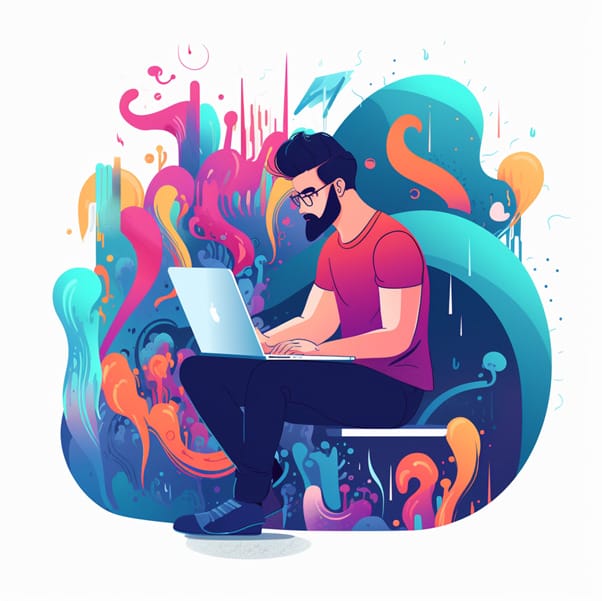
In today's digital world, a logo an essential part of a company's identity . It's the visual trademark that represents the company's identity at first glance and leaves a lasting impression on customers. A good logo is distinctive, easily recognizable, and should reflect the company's values.
In the past, creating a professional logo was expensive and time-consuming. The only option was to hire a graphic designer. But thanks to the internet, there are now many ways to create a logo online. In this article, we'll look at some of the best methods for creating a logo online.
Create a logo online – Discover 6 different options for a professional logo design
Option 1: Use an online logo creator
One of the easiest ways to create a logo online is to use online logo makers. There are a variety of online logo makers, such as Canva , Wix Logo Maker , LogoMaker , and Logojoy , that allow you to create a professional logo in minutes.
These online tools offer pre-made templates and design elements for you to choose from. You only need to adjust the text and colors to customize the logo to your needs.
The most compelling reason for option 1 is its simplicity . With the numerous online tools and logo makers available, you can easily design your own logo in no time.
You don't need any special design skills to create a professional-looking logo. All you have to do is click through the various templates, select colors, fonts, and shapes, and customize your logo as you like.
Another reason is the time saved . If you need to create a logo, you can do it online in no time. You don't have to hire a graphic designer or wait for them to process your designs. Instead, you can get started right away and design your logo exactly as you envision it.
Another advantage of online logo design tools is cost savings . Most online logo creation tools are typically free or at least offer a free basic version. This means you can save money that you can then invest in other important aspects of your brand or business.
Finally, creating a logo online offers a multitude of options. You can choose from a huge selection of templates and customize them to your needs. You have the freedom to try out different color combinations, change fonts, and add shapes.
This way, you can ensure your logo perfectly reflects your company and brand. All in all, creating a logo online is a simple, cost-effective, and creative way to design a unique and professional logo for your business. It's an important first step in establishing your brand and providing your customers with a compelling visual experience.
Option 2: Use a logo template
Another way to create a logo online is to use a logo template. Many websites offer free or inexpensive logo templates that you can download and customize.
These templates are often available in common formats such as PSD, AI, or EPS and can be edited Adobe Illustrator or Photoshop We've compiled a list of the best graphics tablets
Option 3: Hire a freelance designer
If you need a custom logo but lack design skills or the time to create one yourself, you can hire a freelance designer . Many platforms, such as Fiverr or Upwork , allow you to find a designer who can help you create a logo.
Simply provide a description of your requirements and let the designers know what you're looking for. They will then provide you with designs to choose from.
Option 4: Use a logo design tool
Another way to create a logo online is to use a logo design tool . These tools function similarly to online logo makers, but offer more advanced features and options for users who want more control over their logo's design.
Some popular logo design tools are Adobe Spark , Designhill,DesignEvo and Tailor Brands .
Option 5: Create your own logo from scratch
If you have design skills and need a custom logo, you can create your own logo from scratch. You can use graphic design software like Adobe Illustrator or CorelDRAW to create your own design elements and combine them into your logo.
However, this requires a certain level of technical know-how and experience in using design software.
Overall, there are many ways to create a logo online. Whether you use a pre-made design or want to create a custom logo from scratch, there are options for every budget and experience level.
Logo Package Express is a valuable extension for Adobe Illustrator . It allows you to focus on the creative aspects of logo design while saving time and energy. This innovative Adobe Illustrator extension automatically generates and exports high-quality logo packages in a very short time. Users have reported productivity increases of up to 45%, enabling them to complete more projects in less time.
With the right tools and resources , you can create a logo that represents your brand and impresses your customers.
Bonus Option 6: Create a logo design using the AI of “Midjourney”, “Dall-E” and “ChatGPT”
Logo Design Duel: Human vs. Machine
In the following video, YouTuber Joel Volkmer as a logo designer against the AI Midjourney and puts your design skills to the test.
It will be interesting to see how its design compares to the capabilities of artificial intelligence ( Generative AI Tool ).
AI/AI logo design with Midjourney, ChatGPT and Dall-E
With the innovative combination of ChatGPT and Midjourney AI, you'll instantly receive inspiring ideas for a custom logo design. The clear division of the process into several steps – as suggested by AI-generated practical examples – allows you to create a truly unique logo in a compelling way using Midjourney and ChatGPT.
The AI Practical Examples guide describes the logo creation process using ChatGPT and Midjourney AI. First, ChatGPT is used to gather information about preferences, styles, and the target audience for the logo.
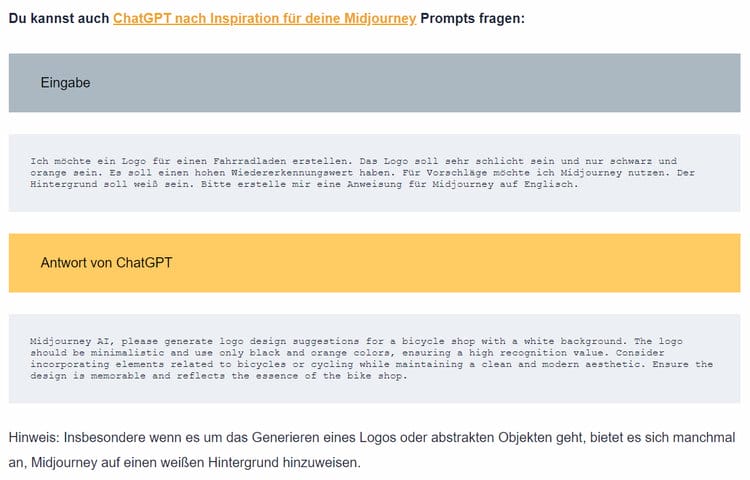
You also have the option to ask ChatGPT for inspiration for your midjourney prompts (screenshot of AI practical examples)
Next, you use the Midjourney AI to find suitable design inspiration. The AI provides various suggestions with different styles, colors, and fonts.
Using the prompt “-seed x” allows you to refine and adjust the results. Ultimately, it is recommended to repeat the process as many times as necessary to obtain the desired logo.
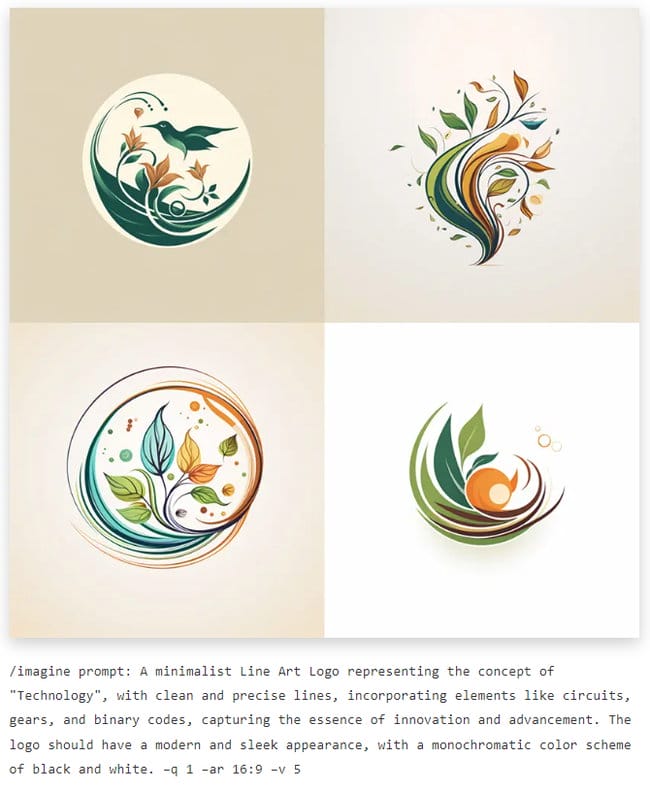
Midjourney is a revolutionary AI-powered design engine that logo design to a new level . With an endless number of creative prompts (such as the numerous ones provided kopf & stift in their article “33 Midjourney Logo Prompts”
Line Art Logo – created by kopf & stift using the Midjourney AI tool (including prompts used)
The platform integrates techniques from famous designers and professional influences into its prompts, making it a valuable tool for any designer.
You can see how the logo design with Midjourney works in practice in the following video by Joel Volkmer:
And you can learn how to best use ChatGPT to generate the right prompts from the AI Tools expert at AI Mentors:
Logo design works similarly with DALL-E 3 .
Visit https://platform.openai.com/apps to access DALL-E. Then, it's best to start with similar prompts and requests as you would with Midjourney.
From PNG to SVG
With your midjourney, you now have a professional logo in your hands, but only as a .png file.
Don't worry! Although PNGs are good, they often reach their limits when scaling. This is where the SVG format comes in, which can be scaled seamlessly without any loss of quality. And guess which tool we recommend for this conversion?
Another AI highlight: Vector Magic . This powerful platform lets you convert .png images into vector graphics in a flash. A little tip: The simpler and less detailed your logo is, the better the result will look with Vector Magic.
How to create a logo online – step-by-step instructions
To create your own logo online, there are several steps you can follow to achieve an impressive design. In this section, I will give you a step-by-step guide on how to create your own logo online.
Step 1: Gather ideas
Before you begin the actual logo design, it's important to gather some ideas. This means you should take some time to think about your brand, your company, or your blog.
What do you want to express with your logo? What values and messages should it convey? A simple way to gather your ideas is to create a mind map or a mood board .
Here you can visualize various concepts, colors, and designs that you like. At the same time, you can also draw inspiration from other logos and designs to develop new and unique ideas.
Another step in brainstorming is to explore different logo templates and designs. Numerous free online tools offer a wide variety of logo templates. You can use these templates as a starting point and customize them as needed.
You can choose colors, fonts, and shapes that best suit your brand or company. An important tip when brainstorming is to be open and creative. Let yourself be inspired by new trends and designs, but don't forget that your logo should also be timeless.
It's important that your logo remains relevant and appealing for years to come. Taking the time to gather ideas lays the foundation for a successful logo design. This allows you to clearly define your vision and goals while making the design process simpler and more efficient.
Step 2: Develop the logo design
Once you've gathered your ideas, the next step is to creatively implement them and design your own unique logo. Thanks to the abundance of free online tools and logo makers, creating a logo is easier than ever these days.
You can choose from a wide variety of templates and customize them to your liking. The great thing is that you don't need any special design skills to create a professional-looking logo. Whether you're starting a new business or your existing company wants to launch a new brand, logo design plays a crucial role in brand perception.
An online logo maker lets you choose colors, fonts, and shapes that best suit your business. This ensures that your logo looks consistent and professional on your website , business cards, and other marketing materials.
Step 3: Select colors, fonts, and shapes
This step is crucial for giving your company a unique and memorable logo. If you're working with a logo design tool or professional software like Adobe Photoshop or Illustrator, you'll often have a wide selection of colors, fonts, and shapes to customize your design.
When choosing colors , make sure they fit your brand and company. Colors have a strong impact on perception and can evoke emotions and associations. Therefore, choose colors that represent your brand values and message.
Equally important is the choice of fonts . Consider which fonts best suit your brand. Should it be something classic and elegant, or rather modern and playful?
Feel free to experiment with different fonts to find the optimal look. The choice of shapes can also be crucial in giving your logo a unique appearance. Shapes can influence the perception of balance, movement, or stability. Choose shapes that support your brand message and suit your company.
Remember that a good logo should be both appealing and versatile. It should look good on different platforms and in different sizes, whether on websites , business cards, or other marketing materials. Therefore, check that your chosen design works well in various formats and sizes before selecting and saving it as the final design.
Step 4: Select and save the final design
After you have gathered ideas, developed your logo design, and selected colors, fonts, and shapes, it's time to choose the perfect design for your business or brand.
An important aspect of the final design and the file format to be saved is that it should be quick and easy to edit. You may want to make changes to your logo in the future as your business grows or you revise your marketing strategies.
By choosing a logo that is easy to edit, you'll save valuable time and effort if you need to make adjustments later. Once you've selected the perfect final design, you should save your logo in various formats (common ones include PSD, SVG, EPS, JPG, PNG, PDF, etc.).
Keep in mind that you might need your logo for various purposes, such as business cards (print), blog posts (optimized for the web), or promotional materials (digital and print). By saving the logo in different formats, you'll be well-prepared for any situation.
Now you are ready to present your own unique logo to the world!
Owner and Managing Director of Kunstplaza . Publicist, editor, and passionate blogger in the fields of art, design, and creativity since 2011. Graduated with a degree in web design from university (2008). Further developed creative techniques through courses in freehand drawing, expressive painting, and theatre/acting. Profound knowledge of the art market gained through years of journalistic research and numerous collaborations with key players and institutions in the arts and culture sector.
Regardless of your field of activity as a web designer, graphic designer, game developer, photographer, programmer, product designer, journalist, content creator or influencer , as a self-employed person you have a wide range of tasks to manage.
From customer acquisition and successful project implementation to time management and financial administration – including the often unpopular tax matters.
Good information and the right online tools are crucial for a successful career as a freelancer or content creator.
In this section you will find helpful articles and valuable advice with tips specifically for freelancers.
We use technologies such as cookies to store and/or access device information. We do this to improve your browsing experience and to display (non-)personalized advertising. If you consent to these technologies, we can process data such as browsing behavior or unique IDs on this website. Refusal or withdrawal of consent may adversely affect certain features and functions.
Functional
Always Active
Technical storage or access is strictly necessary for the legitimate purpose of enabling the use of a specific service expressly requested by the subscriber or user, or for the sole purpose of carrying out the transmission of a message over an electronic communications network.
Preferences
The technical storage or access is necessary for the legitimate purpose of storing preferences that were not requested by the subscriber or user.
statistics
Technical storage or access that is solely for statistical purposes.Technical storage or access that is used solely for anonymous statistical purposes. Without a subpoena, the voluntary consent of your internet service provider, or additional recording by third parties, the information stored or retrieved for this purpose cannot generally be used to identify you.
marketing
Technical storage or access is required to create user profiles, to send advertising, or to track the user on one or more websites for similar marketing purposes.








 J-Line reversible cushion “Scintillant” with opulent sequins (black/silver)
27,95 €
J-Line reversible cushion “Scintillant” with opulent sequins (black/silver)
27,95 €