The best printers for fine art printing and art prints allow you to conveniently print your work from home or in your studio. This eliminates the need for print-on-demand services or trips to a busy downtown print shop. While the initial investment can be substantial, if you plan to print regularly (for example, limited editions or serial prints), it's a worthwhile investment in the long run.
The market for professional fine art printers is much smaller than that for everyday photo printers. Therefore, you don't need to spend hours comparing alternatives and scouring search portals until you find the ideal model for fine art printing of your artwork.
In this fine art printer , we will examine the best available options for printing watercolor artwork and fine art photographs, as well as the most suitable papers for this purpose.
While I am familiar with common printing technologies and some hardware, I personally lack sufficient experience in producing fine art prints at home. Therefore, we compiled this guide based on extensive research and discussions with experienced professionals in the field. We also incorporated reviews from artists, photographers, and printing companies who have used and tested these printers.
We only have direct experience with the Canon PIXMA PRO-200S , the printer we currently use, partly because we buy inexpensive ink cartridges . However, to be perfectly honest, we don't use the prints for sale. Therefore, the following pros and cons are typically derived from the experiences of other artists.
This should give you a comprehensive overview of the best options available to you. This is particularly relevant if you are looking for a printer capable of producing watercolor prints and fine art images of outstanding quality.
We believe that the Canon imagePROGRAF PRO-310 is the best choice for most artists; however, there are excellent alternatives depending on your individual requirements and available budget.
The 6 best printers for fine art printing and art prints in a quick comparison
Canon imagePROGRAF PRO-310
Price: €700-800
The best art print printer overall (including price)
Score/Rating:
4.6
Synthesis of professional image quality and compact design
10 separate LUCIA PRO-II pigment inks for deep black and impressive color gradients
Reduced bronzing thanks to a special chroma optimizer
For artists seeking a compact and powerful printer for high-quality prints up to A3+. Excellent for black and white printing thanks to its special matte black ink.
To help you decide, we have examined and evaluated models from the three printing giants listed below (Canon, Epson, HP). We have provided recommendations for each device based on key factors relevant to artists, including color reproduction and clarity, color fastness, cost, and format options.
At the same time, we took into account the inks that are compatible with the printer as well as the archival quality (the degree to which the inks remain intact before they fade).
Furthermore, we also considered versatility with regard to larger formats, panoramic images, or heavier art media. Finally, we surveyed artists to determine which paper options they felt were best suited for the respective printer models.
We hope you find this an informative and helpful read!
The importance of print quality for sales, appreciation, and the reputation of the artist
Let's take a look at the color brilliance, the watercolor-like gradients, and the finest spray dots of this abstract painting. It quickly becomes clear that only a high-quality printer can deliver satisfactory quality for reproduction as an art print. Image source: rawpixel.com via Freepik
When it comes to printing artwork, the right equipment is more than just a tool; it's a partner on the path an artist takes to achieve remarkable results through creative work. The quality of the prints not only showcases the artwork but also builds trust, inspires admiration, and, above all, honors the artist's vision in the most authentic way possible.
To be a little dramatic: Acquiring a printer that not only delivers top-notch quality but also makes economic sense is an investment in one's own artistic legacy. It is an investment in one's own success
Impact on sales success
A market that is becoming more demanding is a market in which customers are willing to pay a higher price for quality. A top-quality art print can command higher prices, which can lead to greater profitability for both artists and galleries.
On the other hand, fine art prints that do not meet the requirements, despite the inherent brilliance of the artwork, deter potential buyers, which can negatively impact sales.
Appreciation
The true essence of a work of art lies in the details. A high-quality laser printer for artists allows these tiny details to shine through, enabling the viewer to appreciate the depth, complexity, and expertise inherent in each piece.
When the viewer succeeds in establishing a deep connection with a piece, it is more than just a visual pleasure; it transforms into an emotional experience that leads to increased appreciation and word-of-mouth advertising.
The artist's reputation
When it comes to the quality of one's work, both in terms of creation and reproduction, an artist's reputation is inextricably linked to the quality of their work. An artist's credibility increases when they produce high-resolution prints. This contributes to the perception of the artist as a professional who is serious about their ability to produce and sell impeccably crafted art prints.
On the other hand, the reputation of a well-known artist can also be damaged if the fine art prints he produces do not meet the quality standards he expects.
Here's how to find the best options for your art prints
The best printers for fine art printing and art prints – compiled for you. Photo by Joshua Fuller @joshuafuller, via Unsplash
Whether you're selling reproductions, creating gifts for family and friends, or simply want to admire your artwork in a large format for your home, printing artwork at home can be a very satisfying and cost-effective experience. If you want professional-quality results, you need to the right printer, the right ink, and the right paper . If you don't invest in these three quality factors, your colors won't be true to life, details will be lost, and the prints may fade quickly.
Pigment ink printers are the best alternative for you if you intend to sell the prints you create.
High-penetration inks are more durable than conventional dye-based inks, meaning your prints won't fade for decades. They also print better on high-quality surfaces, producing vibrant colors, deep blacks, and a true giclée finish.
Whether you're on a tight budget or looking for a top-of-the-line device, we'll introduce you to the best pigment ink printers from different price ranges.
Giclée or archival print?
First, you should decide what type of fine art printing you want to use.
An archival print is a museum-quality art reproduction designed to last for decades without deteriorating or fading. These prints are produced pigment-based inks and acid-free archival paper , guaranteeing their durability and color stability . Archival prints are preferred by museums, galleries, and collectors because they are resistant to fading, discoloration, and paper deterioration over their lifetime.
For a print to be considered an archive print, it must meet the following conditions:
Use of pigment inks instead of dye-based inks.
The art print paper used for printing should be acid-free and pH-neutral.
Lifespan of fifty to two hundred years or more (depending on storage and display conditions).
The term "giclée print" (pronounced "chee-klee") refers to a form of high-quality inkjet printing created with pigment inks on canvas or art paper. The name derives from the French word "gicler ," meaning "to spray" or "to squirt," and refers to the inkjet printing process used to produce these prints.
In order for a print to be called a true giclée, it must meet these requirements:
Printed with a high-resolution inkjet printer (often 1,200 dots per inch or more)
Use of pigment inks to ensure durability
Archival-quality paper or canvas should be used for printing.
Smooth color gradients, high-resolution details and accurate color reproduction
Smooth color gradients, high-resolution details, and accurate color reproduction are essential characteristics of high-quality fine art prints. Photo by Erik Mclean @introspectivedsgn, via Unsplash
So what exactly is the difference?
Archival prints are giclée prints, but giclée prints are not automatically archival prints
Archival prints are characterized by their longevity; they can be produced offset lithography or screen printing
Giclée prints are inkjet prints that are of high quality and certified to meet archival standards.
When it comes to selling art prints, giclée printing is the method of choice for watercolor artists . This is because it is the most effective method for reproducing paintings that feature a wide color palette and complex details.
What you should consider before buying a printer
Pigment inks vs. dye inks (“dye” inks)
The fact that pigment inks are lightfast and have a longer lifespan makes them an excellent choice for art prints of all kinds.
Although they are less expensive and more color-intensive, dye-based inks tend to fade more quickly over time. It is strongly recommended to use a printer that uses pigment inks when selling art prints.
A dye ink printer could be useful for less critical applications where cost is a factor.
Print size and borderless printing
Consider what size the desired printouts should be:
The A3+ format (329 × 483 mm, 13 in x 19 in) is an excellent choice for most artists. For larger prints, a size of A2 (432 × 559 mm, 17 in x 22 in) or larger is required.
Borderless printing guarantees a clean and professional result.
We've observed that most artists who reproduce their own work have a model for A4 and/or A3+ format. For individual orders in other formats, they typically use a specialized printing company. This is an excellent compromise.
Depending on the intended use of your fine art print, you may need prints ranging from postcard size to large-format banners or posters. The term "scalability" refers to the ability to accommodate a wide variety of sizes without loss of quality. Photo printers like the Canon PIXMA PRO-200Scan print various image formats up to A3+ size.
If you plan to print on textured paper, you should ensure that your printer can handle paper weights of up to 350 g/m² or more. This is important because not all printers are capable of properly processing thicker art papers.
Resolution and color accuracy
A good printer for fine art prints should deliver accurate and rich color reproduction. Photo by Markus Spiske @markusspiske, via Unsplash
High resolution ensures that even the smallest details of artworks are captured, while color accuracy ensures that the reproduced colors remain true to the corresponding hues in the original.
Durability and lifespan
This should be sufficient to withstand regular use over several years. Especially with frequently used models, wear and tear should be minimal. This makes the purchase worthwhile, as the cost per print decreases steadily.
Compatibility with a wide variety of media types
Depending on the type of artwork to be created, different media types may be required. There are many other types of materials that can be printed on with a versatile model, including canvas, textured artist paper, vinyl, fabric, etc.
Cost efficiency over time
Although the initial purchase price of the printer seems to be the most significant factor, one should also consider long-term costs, such as those for ink cartridges, maintenance, and the possibility of necessary repairs.
The best fine art printers – different applications and price ranges
Why you can trust our test results
As the editor of this article, I can look back on over 18 years of experience as a web and graphic designer and entrepreneur. During this time, I have gained experience with a wide variety of printers.
Additionally, our team is always working to provide you with objective rankings and information with complete editorial independence.
We base our content on product data, structured methods, first-person tests, and expert opinions to enable you to make informed decisions for your individual use case.
Independent, unbiased and free thanks to your click
Links marked with asymbol are affiliate links. We only recommend products we use (or would use) ourselves. If you visit affiliate links in our content, we may receive a commission on your purchase (at no extra cost to you). This helps fund the free editorial content we provide to you (more details here).
Here they are: our top selection of professional models for the highest artistic demands. In making our selection, we also made sure to represent different application scenarios, artistic requirements, and price ranges… et voilà:
01 Canon imagePROGRAF PRO-310 – the best all-rounder
Canon imagePROGRAF PRO-310 A3+ Printer Color Inkjet Printer Photo Printer (DIN A4, A3+, 4800 x 2400 DPI, 7.5 cm LCD, WLAN, LAN, USB, AirPrint, Print App)
In recent years, Canon models have made significant progress, contributing to their great popularity among photographers and artists.
The Canon imagePROGRAF PRO-310 (successor to the PRO-300) is, in our opinion, the best fine art printer overall (including price), as it boasts a multitude of strengths and delivers stunning results. It's a compact yet powerful printer capable of producing high-quality prints on a wide variety of media without requiring ink changes at any point during the printing process.
For artists whose focus is on formats up to A3+, the imagePROGRAF PRO-310 represents the ideal synthesis of professional image quality and compact design. It replaces the popular PRO-300 and brings Lucia Pro II technology to the 13-inch segment.
This printer is available at the best price from Amazon or Foto Ehrhardt . It's best to compare the current prices from both retailers, as these fluctuate frequently.
Technical data:
Maximum paper size: borderless printing up to A3+ (13 inches)
Resolution: 4800 x 2400 dpi
A total of 7,680 pressure nozzles
Inks: 10 separate LUCIA PRO-II pigment inks for deep black and impressive color gradients (reduced bronzing thanks to special chroma optimizer), lightfastness up to 200 years
Interfaces: USB, Ethernet, Wi-Fi
Size: 63.9 x 37.9 x 20 cm
Weight: 14.4 kg
Supports artist paper up to 380 g/m²
Custom formats up to a length of 990.60 mm
Photo print speed (A3+ with border): Color/PT-101: approx. 4 min 15 sec – Black and white/PT-101: approx. 4 min 15 sec.
Special features: Chroma Optimizer, tilt correction, compact
Unfortunately, there is no role option
Technological parity on a smaller scale
With exceptional resolution and color quality, this model prints up to 13 inches. Its colors are vibrant and deep, and it excels at replicating the original material.
The PRO-310 uses 10 pigment inks, also based on the Lucia Pro II formula. Although it has two fewer colors than its larger sibling, the PRO-1100 (primarily the specialized blues and reds), it delivers identical quality in terms of black density and archival stability. The Chroma Optimizer is also integrated, making it ideal for printing on glossy fine art media.
Of particular note is its mechanical reliability. The PRO-310 features automatic paper skew correction , ensuring precise feeding even of handmade fine art papers with irregular edges. This is a critical factor for artists who often print on expensive individual sheets and need to avoid misprints.
This new generation of Canon printers also features enhanced wireless printing capabilities, eliminating the need for cables.
Integration into the creative workflow
Software support through Canon Professional Print & Layout (PPL) allows seamless integration with Adobe Lightroom and Photoshop . PPL enables the creation of complex layouts, precise application of ICC profiles, and even soft proofing directly within the printing application. For artists who also want to create panoramic prints, the PRO-310 offers the ability to print custom formats up to 1.8 meters in length.
Ink consumption is relatively low. Since the Canon imagePROGRAF PRO-310 has a large number of pre-programmed profiles for a wide variety of papers, getting started after initial setup is quick and easy.
Thanks to support for Wi-Fi, USB and Ethernet connectivity, as well as a variety of third-party services that greatly simplify your printing process, it is easy to recommend the Canon imagePROGRAF PRO-300 without reservation.
Cost: The Canon imagePROGRAF PRO-310 costs between €700 and €850, and the recurring costs are relatively low thanks to its intelligent ink consumption. The annual operating costs are also quite low.
Best suited for: Artists looking for a compact and powerful printer for high-quality prints up to A3+. Excellent for black and white printing thanks to its special matte black ink.
Paper recommendation: The artists surveyed recommended Hahnemühle Matt FineArt 310 g/m² for watercolor and acrylic paintings – a smooth, museum-quality cotton fabric paper with incredible color accuracy.
02 Canon imagePROGRAF PRO-1100 – Leader of the 17-inch class
Canon ImagePROGRAF PRO-1100 A2 Photo Printer (Printer with Wi-Fi, Ethernet, 12-color Lucia PRO II inks, vibrant colors, deep blacks, 200-year color and lightfastness, easy setup)
the Canon imagePROGRAF PRO-1100 had established itself as the leading standard for desktop large-format printing up to A2+. As the successor to the long-running and successful PRO-1000 model, it addressed the specific weaknesses of the previous generation and set new benchmarks in color depth and durability.
This printer is available at the best price from Amazon or Foto Ehrhardt . It's best to compare the current prices from both retailers, as these fluctuate frequently.
Technical data:
Maximum paper size: borderless printing up to A2 (17 inches)
Resolution: 2400 x 1200 dpi
Inks: 12 separate LUCIA PRO-II pigment inks for deep black and impressive color gradients (reduced bronzing thanks to special chroma optimizer), lightfastness up to 200 years
Interfaces: USB, Ethernet, Wi-Fi
Size: 72.3 x 43.5 x 28.5 cm
Weight: 32.4 kg
Supports artist paper up to 380 g/m²
Supports paper sizes up to 3.27 m in length for panoramic prints
Photo print speed (A2): Color/PT-101: approx. 1 min. – Black and white/PT-101: approx. 1 min.
The evolution of the Lucia Pro II ink system
The heart of the PRO-1100 is the Lucia Pro II ink system , which uses 12 separate pigment inks. Compared to the first generation of Lucia Pro inks, the chemical composition has been optimized to achieve significantly higher scratch resistance and improved lightfastness. This is invaluable for artists who exhibit their work in galleries without protective glass.
The inclusion of a dedicated chroma optimizer also ensures that a homogeneous surface reflection is created on glossy and semi-matte papers, effectively suppressing the disturbing “bronzing” – metallic gloss effects in dark image areas.
Color reproduction in the blue and purple tones has been significantly expanded, resulting in a more naturalistic rendering, especially in landscape and marine photography. Expert analyses highlight that the shadow detail and the neutrality of the grayscale, achieved through the use of four different black tones (Matte Black, Photo Black, Gray, and Photo Gray), attain a level of depth previously only possible in professional, large-scale photo lab systems.
Mechanical precision and vacuum technology
A key technical advantage of the PRO-1100 over compact competitor models is its integrated vacuum suction system . Fine art papers, especially heavy cotton media with a basis weight above 300 g/m², tend to warp slightly during the printing process. The vacuum system holds the media perfectly flat on the print carriage, guaranteeing precise placement of the ink droplets and minimizing the risk of "head strikes" —the printhead touching the paper.
Despite its massive construction, weighing over 32 kilograms and requiring a stable work surface, the printer's connectivity has been modernized. It now supports dual-band Wi-Fi (2.4 GHz and 5 GHz), which speeds up the transfer of large image files in high-resolution formats. However, one point of criticism from experienced users remains the 3-inch display, which, compared to modern touchscreens, appears rather conservative and makes entering network data cumbersome.
Economic aspects and maintenance in studio operations
For professional use, operating costs are a crucial factor. With its 80ml ink tanks, the PRO-1100 offers a significantly better price-to-ink-capacity ratio than smaller A3 models. While a complete set of ink cartridges represents a considerable investment of approximately €650, the print yield and the reduction in cleaning cycles thanks to the anti-clogging technology offset these costs over time.
Sensors continuously monitor the nozzles' condition; should a blockage be detected, the system automatically compensates by using adjacent nozzles to prevent banding. A significant advantage for longevity in the studio is the user-replaceable printhead (PF-10). While a defective printhead in many other systems represents a total economic loss, here the artist can perform maintenance themselves, thus minimizing downtime.
Cost: The Canon imagePROGRAF PRO-1100 costs between €949 and €1,249 to purchase. Annual operating costs are quite low.
03 Epson SureColor P900 – uncompromising image quality up to 43.2 cm image width
Epson SureColor SC-P900 photo printer for photo and art prints (prints up to DIN A2+, optional roll paper unit, media width up to 17 inches/43.2 cm)
The Epson SureColor P900 sets new standards among professional photo printers. With outstanding image quality, user-friendly software, and competitive operating costs, it surpasses its predecessor, the P800.
With the SureColor SC-P900, Epson has created a system that impresses above all with its compactness and its technological specialization in maximum density and color gamut expansionsmaller footprint, it is the preferred choice in many artists' studios compared to the more bulky Canon model.
This printer is available at the best price from Amazon or Foto Ehrhardt . It's best to compare the current prices from both retailers, as these fluctuate frequently.
UltraChrome PRO10 and Carbon Black Technology
The SC-P900 uses the UltraChrome PRO10 ink system, which significantly expands the color gamut in the blue and violet range by integrating a violet ink. This is particularly relevant for artists who work with extremely saturated colors.
A key technical highlight is the “Carbon Black” mode, which enables maximum black density (Dmax) on glossy media. This is achieved through a special control of the ink droplets and an additional sealing process. The result is deep black image areas that create exceptional visual dynamics.
A long-standing criticism of Epson printers was the necessary switching between Photo Black and Matte Black, which wasted time and ink. This has been solved in the SC-P900 by using dedicated nozzles for both black inks, allowing for seamless and immediate media type changes.
Technical data:
Maximum paper size: borderless printing up to 17 x 22 inches (431.8 x 558.8 mm)
Resolution: 5760 x 1440 dpi
Inks: UltraChrome PRO10 pigment inks (including violet for improved blue and purple tones); no need to switch between photo and matte black ink.
Interfaces: USB, Ethernet, Wi-Fi
Dimensions: 37.3 x 47.2 x 74.4 cm (D x W x H)
Weight: 16 kg
Supports artist paper up to a thickness of 1.5 mm
Roll feed option for panoramas
It creates prints that, according to the manufacturer, last up to 200 years in color and 400 years in black and white.
The P900 is capable of on single sheets measuring 17 x 22 inches (431.8 x 558.8 mm; for comparison: DIN A2 = 420 x 594 mm) as well as larger paper rolls with a width of 17 inches (43.2 cm). This allows for impressive banner and panoramic prints on roll media and is also more compact and lighter than comparable Canon models.
Flexibility through role support and software integration
Unlike the Canon PRO-1100,Epson SC-P900 offers the option of using a roll paper unit. This allows for printing panoramic images up to 3.2 meters long, a crucial selling point for landscape photographers. However, the roll unit is optional and lacks an automatic cutter, requiring manual trimming.
Operation is via a generously sized 4.3-inch touchscreen , which can also be used with gloves and allows for intuitive menu navigation. The Epson Media Installer software solution radically simplifies the management of ICC profiles and media types. Third-party profiles, such as those from Hahnemühle, can be loaded directly into the printer, ensuring that all specific parameters, such as roller distance and drying time, are automatically set correctly.
Challenges in the everyday life of an artist
However, online forums and artist communities also report challenges. The mechanical construction of the paper trays is occasionally described as "fragile ." A specific problem when using very heavy, glossy papers is the so-called "pizza wheel" effect – tiny imprints from the transport rollers, which can be visible in extreme cases.
Furthermore, the printhead in the Epson system is permanently installed. This means that maintenance and protection against nozzle drying out are even more critical than with systems that have replaceable printheads. Artists who use the printer only occasionally should expect increased ink consumption due to automatic cleaning cycles to maintain the system's functionality.
Conclusion
Despite the high initial investment costs, the SureColor P900 with excellent photo and art prints and surpasses both Canon's PRO-1000 and the SureColor P5000 in black and white print quality and ease of use.
It is designed to produce the highest quality prints over an extended period, provided it is operated properly and fed with high-quality data files and premium media. It's true that the purchase price, the various media options, and the cost of ink represent a significant investment. However, if you want to create reproductions of artwork and photographs of the highest possible quality, you will be hard-pressed to find anything better.
Cost: The Epson SureColor P900 costs approximately €1,000-1,250. Ink costs are above average. Annual operating costs are relatively low.
Best suited for: serious artists who want museum-quality prints without compromise and require first-class color accuracy.
Paper recommendation(s): The artists interviewed recommended RR Palo Duro Softgloss Rag and RR Barytas, Hahnemühle Etching Paper and Marrutt Fine Art Paper.
Video reviews by artists
This is what artist Krystle Cole (@krystlecoleart) says about this model:
04 Canon PIXMA PRO-200S – ideal for small home studios and hobbyists
Canon PIXMA PRO-200S Color Inkjet Photo Printer DIN A3+ (High-gloss printing, WLAN, USB 2.0, WiFi, LAN, Print App, 7.5 cm LCD color display, 4800 x 2400
If you're not a professional, established artist and are more interested in selling art prints on platforms like Etsy, Amazon Handmade, and others, then the Canon PIXMA PRO-200S is a good choice. It's less expensive than the top-of-the-line models but does have a few limitations (most notably the lack of pigment inks). It's a great option for home studio artists who prioritize a fast workflow and vibrant, glossy finishes.
This printer is available at the best price from Amazon or Foto Ehrhardt . It's best to compare the current prices from both retailers, as these fluctuate frequently.
Aside from using dye-based inks, the prints produced are razor-sharp and dry almost instantly. Furthermore, it can print on a wide variety of materials, from standard paper to heavier art media. It can handle paper sizes up to A3+, which, as the name suggests, is larger than A3 at 330 mm × 483 mm (13″ x 19″). Panoramic prints up to 99 centimeters wide are also possible.
Inks: High-quality 8-ink system with dye-based inks (not ideal for archival-quality prints, as colors fade faster)
Interfaces: USB, Ethernet, Wi-Fi
Dimensions: 37.9 x 63.9 x 20 cm
Weight: 14.1 kg
Print speed: approx. 90 seconds per sheet
Supports artist paper up to 380 g/m² (or paper thickness 0.1 to 0.6 mm)
Custom sizes up to a length of 990 mm
Maximum color fidelity on RC papers
The PRO-200 's 8-color dye system was specifically designed to cover a wide color gamut on resin-coated (RC) photo papers. Because the dyes, unlike pigments, penetrate the paper's coating, the medium's natural luster is fully preserved. The inclusion of gray and light gray inks also enables exceptionally neutral black-and-white reproduction for a dye printer.
The PRO-200 is known for its speed; a high-quality A3+ print is completed in less than two minutes. This makes it the ideal machine for portfolios, event photography, and the quick sale of prints at art markets.
Mechanical stability and reliability
Artists often praise the PRO-200 . It is significantly lighter and more compact than the pigment-based imagePROGRAF models and is very tolerant of various paper types, as long as they do not exceed a maximum thickness of approximately 0.6 mm. Another advantage of the dye technology is its reduced susceptibility to nozzle clogging , which makes the printer attractive even for users who do not print daily.
Cost:TheCanon PIXMA PRO-200S costs approximately €430–550. Ink costs are above average due to the somewhat small cartridges. Annual operating costs are relatively low.
Best suited for: (Hobby) artists who do not require archival quality.
Paper recommendation(s): The artists interviewed recommended Polar Gloss Metallic, UltraPro Satin, UltraPro Gloss, Polar Matte and Palo Euro Etching 315.
Video reviews by artists
What do photographer and fine artist Jarred Wilson (@jarredspec) and illustrator Emily ( @art_with_em_) say about this printer?
Epson EcoTank ET-8550 photo printer for creative enthusiasts, ultra-convenient A3+ format, 6-color inks, 5-way media management
The Epson EcoTank ET-8550 represents a completely new approach to fine art printing. While traditional fine art printers rely on expensive cartridges, this system uses refillable ink tanks, which significantly reduces operating costs.
The Epson EcoTank ET-8550 A3+ photo printer, a dye-based inkjet printer, is in the same league as the Canon PIXMA PRO-200S . It is easy to set up and user-friendly. A mobile app is included for managing print jobs and ink orders.
theEcoTank ET-8550is capable of producing prints that meet artistic standards. It can even printlarge-format photos up to 13 x 19 inches (A3+). While color accuracy isn't quite as high as that of premium models from Canon and Epson (see above), it's perfectly adequate for hobbyists.
This printer is available at the best price from Amazon or Foto Ehrhardt . It's best to compare the current prices from both retailers, as these fluctuate frequently.
Technical data:
Maximum paper size: borderless printing up to A3+ (13 inches)
Resolution: 5760 x 1440 dpi
Inks: 6-color ink tank system (Dye + 1x Pigment Black)
Limited archival stability: (approx. 30-50 years under glass)
Interfaces: USB, Ethernet, Wi-Fi
Dimensions: 52.3 x 37.9 x 16.9 cm
Weight: 11.1 kg
Print speed: up to 16 pages/min black and white, 12 pages/min color
Supports media up to 1.3 mm thick
Custom formats up to a length of 2 m.
Integrated scanner
The paradox between cost and archivability
The ET-8550 uses a 6-color system primarily based on dye-based inks, supplemented by a pigmented black ink for text.
This model is a subject of controversial debate within the art community. On the one hand, the extremely low cost of ink (a bottle of ink costs a fraction of a cartridge) allows for unprecedented freedom in experimenting and producing large-scale editions such as postcards or "open edition" prints. On the other hand, due to their construction, dye-based inks do not achieve the archival stability of pigment inks.
While pigment prints remain stable for over 200 years when stored correctly, dye prints often show initial color changes after only 30 to 50 years, especially when exposed to direct UV light. Nevertheless, the print quality on special high-gloss papers is impressively vibrant and sharp, making the ET-8550 a favorite among illustrators and digital artists.
Artist workflows and community solutions
An interesting aspect of the ET-8550 is its strong community support . Since Epson provides fewer specialized fine art profiles for this model than for the SureColor series, experts like Keith Cooper created detailed ICC profiles for Hahnemühle and Canson papers, which significantly improve the system's color accuracy.
A frequently reported problem in forums, however, is the paper feed issue with very thick media via the rear tray, which can occasionally lead to error messages. Additionally, users should be careful when using glossy paper, as the transport rollers can leave visible marks if the paper is too heavy.
Cost:TheEcoTank ET-8550 costs approximately 600-850 euros. Its ink consumption costs are the lowest of all the models listed here. Annual operating costs are also very low.
Best suited for: (Hobby) artists who do not require archival quality.
Paper recommendation(s): The artists interviewed recommended Polar Gloss Metallic, UltraPro Satin, UltraPro Gloss, Polar Matte and Palo Euro Etching 315.
How to prepare your artwork for printing
When it comes to ensuring your art prints look exactly as you envision, one of the most important steps is preparing your artwork for printing by scanning or digitizing . Below are some helpful tips from international watercolor artistLouise De Masi to help you prepare your print file for optimal results.
Ensure your artwork has a high resolution, at least 300 dots per inch (dpi). This will guarantee that your prints are crystal clear and detailed, capturing all aspects of your watercolor artwork. To achieve this, you will also need a high-quality art scanner to scan your artwork.
Color mode
It is recommended that you convert your artwork to the CMYK color mode , which stands for cyan, magenta, yellow, and black. You should use this color mode for printing, as it is the standard color mode and helps ensure that your colors are accurate and vibrant in the final fine art print.
File formats
It is recommended that you save your images in a file format compatible with your printer. Some examples of such formats are TIFF and PNG (JPEG is a compressed file format that is already lossy). These file types are widely accepted by most printers and will ensure that the quality of your printed image is preserved.
Post-production / post-processing
Your artwork should be edited before submission to ensure it is free of flaws or imperfections. To ensure your art prints look their best, brightness, contrast, and color balance can be optimized.
To achieve this, you will need an image editing program such as Photoshop . Most printers have their own printing software, which may allow minor color adjustments (albeit with limitations).
Quality control / final inspection
Before printing your artwork at full size, you should check it for flaws at a smaller scale. This will help you identify any errors or imperfections before they become a problem, ultimately saving you both time and materials in the long run.
If you are producing a new print, it is recommended to do a small test print beforehand to compare the colors of the printed result with the originally created artwork.
The importance of media choice: recommended paper for printing watercolors and fine art photography
Choosing the right paper is just as crucial as choosing the right printer. The pigment inks used for fine art printing on art papers for inkjet printers have unique coatings that allow them to remain on the surface without bleeding. This ensures that details are crisp and colors are vibrant.
In 2026, Hahnemühle“Natural Line” ). Papers made from bamboo, hemp, and agave fibers not only offer ecological advantages but also possess tactile qualities that distinguish them from traditional cotton papers. These media are particularly optimized for pigment inks and offer exceptional color depth and detail reproduction.
Highest quality cotton paper (ideal for perfect color gradients and details):
The Hahnemühle Matt FineArt paper with 310 g/m² has a subtle texture and is a high-quality paper made entirely of cellulose, making it ideal for watercolor-style prints.
Canson Infinity Rag photo paper – a smooth cotton paper that highlights the depth and richness of the colors and is therefore ideal for paintings with intricate details.
Epson Hot Press Dazzling is a sheet of paper that is dazzlingly white and smooth, and capable of capturing small details with pinpoint accuracy.
Hahnemühle William Turner 310 g/m² is the most textured fine art paper ever produced, mimicking the look of watercolor paper. This cold-pressed, textured paper has a highly absorbent surface, making it ideal for creating a true watercolor effect.
Canson Infinity Aquarelle Rag, 310 g/m² . Cotton paper with a natural white color and rough texture, perfect for the aesthetics of classic watercolor paintings.
Epson Cold Press Bright is an acid-free, relatively thick paper with a slight roughness. It is a great choice for archival printing.
The best fine art papers at an affordable price:
Canon Premium Fine Art – Canon pigment printers are compatible with this paper, which is both smooth and inexpensive.
Epson Signature Worthy Cold Press Natural is a cost-effective and durable solution and is ideal for printing textured art prints.
Challenges in handling special media
Experienced artists point out that the choice of paper also has technical consequences. Papers with a high proportion of optical brighteners (OBA) can yellow over the years, which should be avoided for archival printing.
Furthermore, structured papers such as “William Turner” an adjustment of the roller spacing in the printer to avoid smearing at the edges – a setting that can be centrally stored Mirage or in the Epson Media Installer
Analysis of the software landscape and workflow optimization
In 2026, hardware is just one component of a successful fine art workflow. Software control plays a crucial role in achieving consistent results.
The dominance of Mirage 2026
For professional users, Mirage 2026 from Dinax established itself as the de facto standard. This printing software functions as a native plug-in for Adobe Photoshop, Lightroom, and InDesign. Mirage's main advantage lies in bypassing the often cumbersome standard printer drivers of the operating system. Mirage offers a precise visual preview that already takes into account the color characteristics of the selected ICC profile.
Particularly noteworthy features include:
Free layout : Multiple images can be arranged on a single printing sheet to save space and minimize the waste of expensive fine art papers.
Automatic scaling : Fonts and vector graphics are scaled losslessly for the respective print resolution.
Logistics advantages : By supporting roll paper (with Epson), Mirage can automatically integrate crop marks and logos, which significantly speeds up further processing.
Color management and the science of ICC profiles
A fundamental problem in art printing is the discrepancy between the luminous display on a monitor (emitted light) and the final print on paper (reflected light).
ICC profiles act as translators here. By 2026, all major paper manufacturers, such as Hahnemühle , Canson , and Red River, provide free profiles for common printers. However, experts recommend creating custom profiles for the highest quality requirements, as each printer has a unique "signature" that can even change slightly over the lifespan of the device.
The use of specialized software such as ImagePrint Black/Red is particularly recommended for black and white printing, as it allows even finer control over grayscale separation than the standard drivers.
Economic analysis and Total Cost of Ownership (TCO)
The purchase price of a printer is often just the tip of the iceberg. A detailed analysis of operating costs over a three-year period reveals significant differences.
Ink costs per milliliter and page
A key factor is the ink tank size. While the Canon PRO-1100 uses 80ml tanks, which reduces the price per milliliter of ink to approximately €0.67, A3 systems with smaller cartridges often cost significantly more than €1.20 per milliliter.
Model
Tank size
Ink set costs (approx.)
Ink per m² (cost)
Canon PRO-1100
80 ml
640 €
approx. €12.50
Epson SC-P900
50 ml
420 €
approx. €17.00
Epson ET-8550
70 ml (bottle)
110 € (complete)
approx. €1.50
Maintenance costs and hidden expenses
In addition to ink, there are costs for maintenance tanks, which absorb excess ink from cleaning cycles. With Canon printers, you also need to factor in the cost of replacing the printhead after a few years, which can cost around 400 to 500 euros, but significantly extends the overall lifespan of the device.
Sustainability also plays a role in cost accounting: Epson's EcoTank model drastically reduces the mountain of waste from empty cartridges, thus saving not only money but also the environmental footprint of the artist's studio.
Challenges and problem solving in everyday studio life
No printing system is perfect. Analysis of customer feedback and forum posts reveals recurring pain points that artists need to prepare for.
The dreaded spectre of nozzle clogging
Pigment inks consist of solid particles that can sediment or clog the fine nozzles if left unused for an extended period.
Forum members strongly recommend performing a test print at least once a week to keep the ink flowing. The Epson P900, , is described in some threads as being sensitive when operated for extended periods in low humidity environments (below 40%).
Banding and mechanical precision
banding in print can have various causes: clogged nozzles, an incorrectly calibrated paper feed, or an incorrect printhead height. The Canon PRO-1100 offers the highest level of reliability in the field thanks to its vacuum system and automatic nozzle check.
However, user reports on the PRO-1100 occasionally mention “banding issues” in early firmware versions, which could usually be resolved through calibration routines.
Purchase recommendations for various artist profiles
Based on the comprehensive analysis, clear recommendations can be derived for different requirement profiles in 2026.
The gallery artist and professional photographer
For artists producing large-format works (up to A2+) for sale in galleries, the Canon imagePROGRAF PRO-1100 the system of choice. The combination of Lucia Pro II ink, the vacuum system, and easy maintenance thanks to the replaceable printhead offers the highest production reliability and image quality.
However, those who need maximum color gamut and a compact form factor will find an equivalent, albeit mechanically somewhat more delicate, alternative Epson SureColor SC-P900
The illustrator and “Open Edition” seller
Artists who produce a high volume of prints, where absolute archivability for over 100 years is secondary to cost-effectiveness, should opt for the Epson EcoTank ET-8550 . The savings in ink costs allow for pricing that represents a significant competitive advantage on platforms like Etsy or at art markets.
The quality-conscious beginner and map manufacturer
For those starting out in fine art printing with a limited budget and space, the Canon imagePROGRAF PRO-310 the most reliable recommendation. It delivers true pigment prints in gallery quality up to A3+ and is extremely user-friendly thanks to its sophisticated software.
For those who primarily work on glossy paper and require maximum speed, the Canon PIXMA PRO-200S the best choice.
Concluding remarks on the sovereignty of one's own fine art printing
The analysis of leading fine art printing systems in 2026 highlights that the technological maturity of these devices will enable artists to operate independently of external service providers. The choice of system will then be less a question of "better or worse," but rather a matter of tailoring it to the individual creative process and business model.
Investing in a high-quality printer like the Canon PRO-1100 or the Epson P900 is also an investment in the artist's brand. The ability to create a reproduction at the touch of a button that is indistinguishable from the original, both tactilely and visually, creates a new level of artistic sovereignty.
While the Mirage 2026 software technically secures the process, the final choice of medium and the coordination of colors remains a deeply human, creative act, perfectly supported by the technology of 2026.
Our testing methodology and the Kunstplaza self-image of honest and independent test reports
Finally, we would like to share a few lines about our understanding of honest, helpful, and authentic reviews.
Whichguidelines do we feel committed to:
Complete weighing of all pros and cons
Clarification and naming of the facts
Reliable research (two-source principle where possible) and personal testing ( first-hand experience )
Authentic opinion (would we use the provider ourselves) from experts & professionals
Dealing with user criticism from review platforms
Naming alternatives
Transparency regarding remuneration and financing (see affiliation note at the very bottom)
Avoidance of economic directives and dependence on the mentioned providers
About our experts
During the research phase, as product testers from the professional creative field, and as valuable advisors, we were assisted by a number of established and experienced creative professionals for this article. We would like to acknowledge them here.
Jerry Poon, electrical engineer & freelance artist
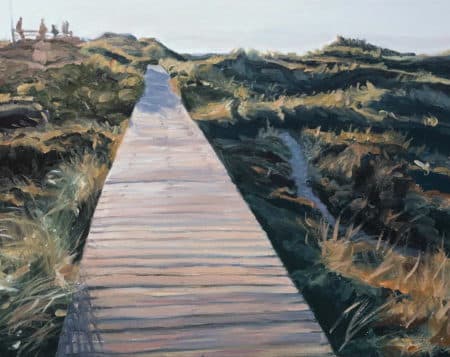
Fine art print by Jerry Poon, electrical engineer & freelance artist
Jerry Poon grew up in Los Angeles with a STEM education and then worked as an electrical engineer in the construction industry. At the same time, he developed his creative side and began working with graphite and acrylic paints, selling his art in the form of prints and commissioned pieces to individuals and companies.
For Jerry , with his technical background, it's important that every step of the process is carefully considered and verified, be it the creative process, sourcing materials/suppliers, project execution, and/or the inspection of the final products. Every product is made by local artisans and suppliers.
Jerry's personal choice:
“The printer I use most often is an Epson SureColor P900 . What kept me with it wasn't the specs or the speed, but the repeatability. Once I'd entered the profiles, I could print the same work weeks apart and it would actually look like the same piece. Subtle gradients and darker areas remain under control, instead of becoming muddy or grainy, which was a big problem for me with previous setups.”
My approach to printing is quite practical. I always start with small test prints, usually just a section of an image where I know something can go wrong. From there, I adjust and then do the full print. The choice of paper is much more important than I initially expected, and humidity affects the behavior of the ink so much that I've learned not to rush things.
The hardest part, from the very beginning, was unlearning the notion that something was wrong every time a print didn't look right. Most of the time, it was my file, my expectations, or the paper, not the printer. When I accepted that printing is a craft in its own right, and not just the final step, it clicked.
To me, a good art print doesn't look "refined." It looks honest. With the P900, I can achieve that without having to fight the machine, and that's really all I expect from a printer
Hailey Rodaer, Marketing Director at Engrave Ink
Hailey Rodaer, Marketing Director at Engrave Ink
Hailey Rodaer is the Marketing Director at Engrave Ink , where she leads the brand strategy, creative direction, and community engagement of a company dedicated to helping people convey memories through meaning. With a deep understanding of emotional storytelling and a keen eye for detail, Hailey has helped shape Engrave Ink's voice to balance reverence, authenticity, and contemporary design.
She believes in the healing power of art and works daily to ensure that every message Engrave Ink shares does justice to the memory it represents.
Hailey's personal choice:
“I found that choosing the right printer had less to do with specifications and more to do with the archival promise we make to families. In my work, we prioritize museum quality because our art is a lasting legacy for those grieving the loss of loved ones. We rely on pigment-based systems like the Epson SureColor P900 to ensure lifelong stability. This choice sets us apart from our competitors, who use cheaper dyes that fade within ten years.”
The P900 gives our detailed monument work deep blacks and smooth color gradients. It features 10 UltraChrome PRO10 inks, offering an astonishingly wide color gamut while eliminating the hassle of switching between photo and matte black. The production of unique panoramic formats without loss of detail is possible with support for roll media to scale up production.
Those who decide not to invest in this topic often end up with a result featuring dull colors that do not reflect the original vision, based on my years of experience in this field.
By limiting automation to data-related tasks, such as maintenance cycles, we ensure that we can continue to focus on our creative output. Matching digital files with physical prints requires rigorous monitor calibration to guarantee absolute visual accuracy and transparency.
Switching to acid-free cotton paper prevents yellowing for decades. In my experience, these steps will help ensure that even the most complex and multifaceted memorial projects are produced to museum quality standards. Archival printing is not a technical decision; it's about ensuring that a legacy is as vibrant as the memory it represents
Sources, expert support and further information:
Louise de Masi:The Ultimate Guide to Art Printers , https://www.louisedemasi.com/insights/2025/2/14/the-ultimate-guide-to-art-printers
Creative Bloq:The best art printers: From premium to portable , https://www.creativebloq.com/buying-guides/the-best-art-printers
CNW IT Systems:Blog & Knowledge Base , https://www.c-nw.de/
reddit r/artbusiness:Best Art Printer for under $1,000? , https://www.reddit.com/r/artbusiness/comments/1gmembr/best_art_printer_for_under_1000/
Travis Vermilye:9 Best Printers for Artists: Professional Fine-Art Printers [2025] , https://www.travisvermilye.com/best-printers-for-artists/
Quora : Which printer is the best for making high-quality art prints for a small home business? , https://www.quora.com/Which-printer-is-the-best-for-making-high-quality-art-prints-for-a-small-home-business
TechRadar: Best photo printer of 2025: My top picks for pro photographers and printing images at home, https://www.techradar.com/news/best-photo-printer
New York Times / Wirecutter: The Best Photo Printer, https://www.nytimes.com/wirecutter/reviews/best-photo-inkjet-printer/
Canon: Photography & Fine Art Printers, https://www.canon.co.za/business/products/large-format-printers/photography-and-fine-art-printers/
Epson:Introducing EcoTank Photo The EcoTank for Creatives , https://epson.com/ecotank-ink-tank-photo-printers
People of Print : Home Giclée Studios: The Best Fine Art Printers for Artists Who Want… , https://peopleofprint.com/general/home-giclee-studios-the-best-fine-art-printers-for-artists-who-want-to-print-their-own-work/
Red River Catalog : Best Printers for Art Prints – Red River Paper , https://www.redrivercatalog.com/blog/best-printers-for-art-prints.html
Dimitry Papkov Photo : Long Term Review of Epson ET-8550 Printer , https://www.dimitrypapkovphoto.com/blog/long-term-review-of-epson-et-8550-printer
Digital Camera World : Canon ImagePrograf Pro-1100 review: probably the best photo… , https://www.digitalcameraworld.com/tech/printers/canon-imageprograf-pro-1100-review
Creative Path Workshops : Canon PRO-1100 Printer Review: As Good As Desktop Printing Gets , https://creativepathworkshops.com/canon-pro-1100-printer-review-as-good-as-desktop-printing-gets/
Testbericht.de : Canon imagePROGRAF Pro-310 in the test , https://www.testbericht.de/p/canon-tests/imageprograf-pro-310-testbericht.html
Reddit / r/AskPhotography : 17″ printer choice between Epson Surecolor P900 or Canon … , https://www.reddit.com/r/AskPhotography/comments/1pbg9pj/17_printer_choice_between_epson_surecolor_p900_or/
Printer Knowledge : Epson SC P900 what is going on | Page 2 | PrinterKnowledge , https://www.printerknowledge.com/threads/epson-sc-p900-what-is-going-on.17101/page-2
Reddit / r/Epson : P900 – Is my LGY cartridge dried out or is the head clogged? , https://www.reddit.com/r/Epson/comments/19afy87/p900_is_my_lgy_cartridge_dried_out_or_is_the_head/
Affiliate Links Disclaimer: with a - symbol are affiliate links. As a general rule and without exception, we only recommend or link to products that we use (or would use) ourselves and all opinions expressed here are our own. Our product reviews and recommendations are independent and based on research, expert opinions, and/or product testing. If you click on affiliate links in our content, we may receive commissions for your purchases (at no extra cost to you), but we never receive any compensation or payment for the content of our recommendations. This is how we finance our editorial work and the magazine articles we provide to you free of charge (details in our Editorial Standards ). Read the full PrivacyPolicy .
Owner and Managing Director of Kunstplaza . Publicist, editor, and passionate blogger in the fields of art, design, and creativity since 2011. Graduated with a degree in web design from university (2008). Further developed creative techniques through courses in freehand drawing, expressive painting, and theatre/acting. Profound knowledge of the art market gained through years of journalistic research and numerous collaborations with key players and institutions in the arts and culture sector.
A fundamental need for every artistically creative person is likely to be the ability to live off their art.
To secure one's own existence, it is essential to earn money with art. In fact, nowadays—contrary to the majority perception—many artists can live well from their creative work. Nevertheless, a significant majority of all freelance artists still rely on additional sources of income (e.g., teaching courses, commissioned work, side jobs, etc.).
Recognition as an artist often does not bring immediate financial security. Therefore, artists are often also life artists.
The opportunities to make a living from one's own art have, however, grown significantly due to the internet and social media. As an artist, however, you must be versatile and flexible to succeed. A certain degree of perseverance is also essential.
Customer relations and self-marketing are also important pillars for success as an artist .
In this section, we compile numerous articles, information, tips, and advice to help you make a living from your art.
We use technologies such as cookies to store and/or access device information. We do this to improve your browsing experience and to display (non-)personalized advertising. If you consent to these technologies, we can process data such as browsing behavior or unique IDs on this website. Refusal or withdrawal of consent may adversely affect certain features and functions.
Functional
Always Active
Technical storage or access is strictly necessary for the legitimate purpose of enabling the use of a specific service expressly requested by the subscriber or user, or for the sole purpose of carrying out the transmission of a message over an electronic communications network.
Preferences
The technical storage or access is necessary for the legitimate purpose of storing preferences that were not requested by the subscriber or user.
statistics
Technical storage or access that is solely for statistical purposes.Technical storage or access that is used solely for anonymous statistical purposes. Without a subpoena, the voluntary consent of your internet service provider, or additional recording by third parties, the information stored or retrieved for this purpose cannot generally be used to identify you.
marketing
Technical storage or access is required to create user profiles, to send advertising, or to track the user on one or more websites for similar marketing purposes.





 Silverblade - Metal wall decoration
71,95 €
Silverblade - Metal wall decoration
71,95 €


