For well over a decade, the world of digital tools seemed trapped in an irresolvable conflict between high performance on desktop computers and compromises on mobile devices. Professional illustrators, concept artists, and 3D modelers were repeatedly forced to make a dogmatic choice.
At one end of the spectrum were the dedicated, PC-connected pen displays from the major players. While these offered high precision, huge color gamuts, and access to full-fledged desktop software, they also chained the artist to the darkened studio desk.
In contrast, high-performance mobile tablets like the Apple iPad Pro become established, combining powerful hardware with portability. From a user's perspective, however, hardware calibration options are lacking, and users frequently experience how reduced app functionalities reach their limits in professional workflows.
The official unveiling of the XP-Pen Magic Pro 13 at IFA 2026 in Berlin marks a technological shift that has the potential to bridge this gap. With its hybrid 2-in-1 concept, the device addresses an aspect that the creative industry has long dismissed as a long-desired but distant utopia.
Its main purpose is to serve as a tr Terms & Conditions ares Android-16 tablet for mobile use outside the studio.”
The tablet's true game-changer is its hardware-based architecture, which allows it to function simultaneously as a native, latency-free desktop drawing display using only a USB-C connection. The key advantage: it utilizes the full processing power of a desktop computer while completely bypassing the Android environment.
To assess how well the new creative tablet with its X4 Smart Chip stylus fits into various creative fields, we examined its mechanical improvements, display performance, and software design. We also incorporated feedback from the digital creator community on Reddit discussions and forums. Finally, we conducted our own hands-on tests and directly compared them to current flagship models from competitors.
To fully understand the significance of the Magic Pro 13, it is illuminating to consider the manufacturer's strategic development. After 19 years as a provider of budget-friendly yet reliable alternatives to Wacom tablets, the company XP-Pen is now venturing further into the high-priced premium segment.
The new XPPen Magic Pro 13, with its 2-in-1 approach, marks a technological paradigm shift in the market segment.
The "Magic Drawing Pad"is the direct spiritual and technological predecessor of the new model and marks XPP's first serious attempt to enter the market of standalone Android tablets designed from the ground up for artists. While the predecessor also offered connectivity to a desktop PC, despite praise for its matte X-Paper screen and battery-free EMR pen, it revealed some systemic weaknesses in professional stress testing.
In Clip Studio Paint, for example, complex 3D scenes or large multilayer files noticeably reduced the processing speed due to the built-in MediaTek processor, limiting the target audience to hobbyists and sketchers. Additionally, users complained about the unreliable update policy of the Android operating system, which called into question the longevity of the software infrastructure.
Fortunately for all those interested in the Magic Drawing Pad, it is worth mentioning that the manufacturer has addressed these weaknesses and is updating today with a new operating system update to Android 15.
With surgical precision, the new Magic Pro 13 these pain points of its target audience right from the start. It is deliberately positioned as the tool of choice for the professional "prosumer," the established freelancer, and the studio artist. Its strategic positioning is interesting: the device not only competes with other Android tablets, but, thanks to its hardware-based "Drawing Display Mode," directly enters the territory of high-end desktop displays like the Wacom Cintiq Pro or the Huion Kamvas Pro .
This technological duality makes a clear claim: The Magic Pro 13 should no longer serve merely as a secondary device for sketching on the train, but rather function as the single, central hardware solution that an artist needs for their entire creative process from the first sketch to the final render.”
Independent, unbiased and free thanks to your click
with a - symbol are affiliate links. We only recommend products that we use (or would use) ourselves. If you click on affiliate links in our content, we may receive a commission on your purchase (at no extra cost to you). This helps us fund our free editorial content for you (more details here).
Product design, user-friendliness & material quality
Scope of delivery
The physical feel and ergonomic design of a drawing tool are crucial for an artist's physical endurance. In our experience, this is often overlooked when purchasing a graphics tablet. After all, artists frequently work on their artwork for many hours a day. A tool that must be used for extended periods and causes fatigue or postural problems is practically worthless in professional practice, regardless of its technical specifications.
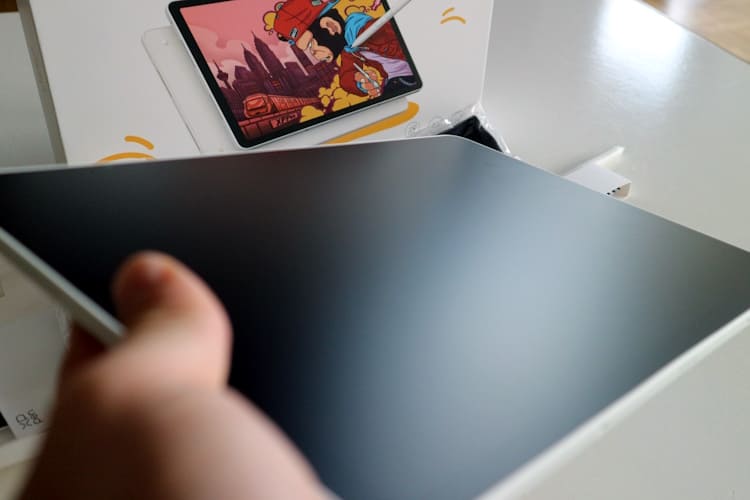
The Magic Pro 13 is extremely slim and light, with a height of only 6.65 millimeters and a weight of 655 grams. It also has a premium feel and appearance.
The Magic Pro 13 is thankfully an example of advanced space efficiency. At just 6.65 millimeters thick and weighing only 655 grams, the device is extremely slim and light. These dimensions allow users to hold the tablet in their lap like a traditional sketchbook for hours or support it with one hand. Meanwhile, the chassis's torsional rigidity ensures that the panel doesn't flex or produce artifacts, even under strong physical pressure from the stylus.
XP-Pen Magic Pro 13 – 2-in-1 Revolution for Digital Artists
Design & physical specifications
XPPen Magic Pro 13
Dimensions (thickness)
6.65 mm
Weight
655 g
Display diagonal
12.95 inches
Display lamination
Fully laminated (zero-gap)
Surface treatment
AG etching (anti-glare) + AF coating (anti-fingerprint)
Battery capacity
10,200 mAh
Charging infrastructure
45W Fast Charging via USB-C
Transparency note: The XP-Pen model was provided to us free of charge for our product test. This has no impact on the neutrality of our review, and we were not influenced by the manufacturer in our free expression of opinion at any time.
The Magic Pro 13 is currently available directly from the manufacturer XP-Pen for €999. With our exclusive coupon code"kunstplaza20" , you'll receive a generous 20% discount on all models in the Magic series until December 31, 2026 (coupon code cannot be combined with other offers).
Glass surface compared to the representation of textured paper
The question of the display surface is one of the most hotly debated topics in the digital art community. Untreated, high-gloss glass is used in most consumer tablets. While this maximizes brilliance and perceived color saturation for media consumption, it results in an unnatural, extremely slippery feel when drawing with a hard plastic stylus, often described by artists as "ice skating on ice ." Without friction, it's difficult to micro-control your hand muscles when trying to draw precise lines.
The display of the XPPen Magic Pro 13 features an anti-glare (AG) etching at the nano level.
XPPen solves this problem by incorporating an anti-glare (AG) etching at the nanoscale. While adhesive matte films peel over time, accumulate scratches, and impair image sharpness through a strong diffusion effect (known as "color noise" or glitter), something different happens with etching. Here, the glass is directly altered at its molecular level. This modification fulfills three important functions for the artist:
Firstly, it offers tactile, haptic feedback with a physical resistance very similar to the pull of hard graphite or charcoal on textured paper. This tactile feedback is essential for reliable muscle memory and confident line control during fast hatching.
Secondly, the matte light diffusion glare-free conditions . This makes undisturbed work outdoors (plein air) or in studio situations under direct ceiling lights easily possible.
Thirdly, an additional anti-fingerprint (AF) coating the adhesion of skin oils, which maintains the gliding ability of the palms when using a hybrid multi-touch gesture (such as pinch-to-zoom) and pen input.
Another point of discussion within the community is how this etched glass surface interacts with the pen tips (nibs). Softer felt tips (felt nibs) further refine the analog feel on matte displays. Unfortunately, due to their inherently higher wear, they wear down faster than conventional hard POM (polyoxymethylene) plastic tips. The replacement tips included by XPPen, which can be stored in the pen's end piece or in the case, ideally solve this problem in our opinion.
Lamination & Parallax Correction
The visual quality of the linework is perfected by the full lamination of the 12.95-inch display. Older or less expensive graphics tablets have a microscopic air gap between the outer cover glass, where the pen physically rests, and the actual LCD panel that emits the pixels. This results in parallax – a visual misalignment between the actual pen tip and the digital cursor, which shifts depending on the user's viewing angle.
By fully bonding (laminating) these layers, the Magic Pro 13 this gap. The result is a perfect optical illusion: the digital ink appears to flow directly from the pen tip onto the glass without any distance, significantly reducing hand-eye coordination.
Hardware performance, display specifications & color space management
Visual output quality is a real bottleneck for any professional designer. The Magic Pro 13 addresses this with a high-resolution 3K LCD panel. In practice, this leap in pixel density on a nearly 13-inch display means that even with significant digital zoom in on delicate line art, eyelash details in portraits, or architectural micro-lines in concept art, no pixelation (aliasing) is visible. The panel's sharpness rivals that of Apple's Retina displays.
Display performance
The 120 Hz revolution in digital drawing
Even more crucial than the resolution alone is the implementation of a 120 Hz refresh rate. For years, graphics tablets were limited to 60 Hz. Doubling the refresh rate has a noticeable impact on the perception of the drawing process. The visual feedback loop – that is, the latency between the physical muscle movement of the hand and the optical appearance of the digital line on the screen – is significantly reduced by 120 Hz.
Artists who use fast, expressive brushstrokes (swipes) are familiar with the disruptive effect of "cursor tearing," where the digital ink visually lags behind the pen tip. The 120 Hz refresh rate eliminates this visual trailing. The drawing experience approaches the immediacy of a real pen on paper. This feature is particularly significant in 3D modeling. The rotation of high-resolution, polygon-rich meshes in applications like Nomad Sculpt is buttery smooth and without the tiring micro-stuttering that can disrupt spatial perception and the assessment of volume.
Color fidelity, gamut and Delta-E calibration
For print designers, photographers, and illustrators producing for physical media, color accuracy the crucial deciding factor. A display that oversaturates colors or exhibits color banding inevitably leads to flawed print results. Typically, the XPPen panels in this premium category meet the requirements of 99% of the sRGB color space, high values in the Adobe RGB spectrum (crucial for CMYK print workflows), and over 90% of the Display P3 color space (standard for digital film and video production).
The Magic Pro 13 truly shines in color management when used in desktop mode with a PC. Here, color shifts caused by hardware limitations of the Android operating system are avoided. For its high-end displays, XPPen offers its own calibration software, "ColorMaster," developed in collaboration with Calman . Together with hardware-based colorimeters (such as the X-Rite i1Display Pro or Calibrite ColorChecker), the display can be calibrated to a Delta-E value of less than 1.5 (even less than 1 for the Pro 24 models).
The Delta-E value measures how much a requested color value deviates from the color value displayed on the monitor. Anything below 2.0 means that the human eye can no longer perceive any difference between the display on the monitor and a reference color sample. Thanks to this hardware calibration via ICC profiles, it is ensured that the sky blue that the artist mixes in Clip Studio Paint appears exactly the same on paper at the printer.
Internal storage space, independence and energy efficiency
Professional-level digital art editing requires ample storage space. The 256 GB of internal storage provides a solid foundation, but the more compelling argument for power users is the integrated microSD slot, which supports cards up to 2 terabytes.
In an era where companies like Apple offer internal storage at exorbitant prices and remove memory card slots from their devices, the physical expandability of the Magic Pro 13 is a major strategic advantage. It allows for local backups of large ZBrush project files and high-resolution PSD files, as well as carrying vast local reference image libraries without relying on widespread Wi-Fi coverage or expensive cloud subscriptions
Internal storage expandable up to 2 TB via integrated microSD slot.
The increased power consumption of the 120Hz 3K display is offset by an improved battery cell. Unlike the predecessor model's 8,000mAh battery, the XPPen now packs a 10,200mAh battery into a slim chassis. This directly addresses the needs of concept artists and plein air painters who often work outdoors, on trains, or at trade shows, and are sometimes far from power outlets.
Thanks to 45-watt fast charging via USB-C, it is possible to charge significant amounts of energy into the system during short coffee breaks, allowing the device to last through a ten-hour workday.
Pen technology: the X4 Smart Chip Stylus
The X4 Smart Chip Stylus features 16,384 pressure levels, an IAF of only 2 grams, and an initial response time of 30 milliseconds.
XPPen is launching the Magic Pro 13, the new X4 Smart Chip stylus . Compared to its predecessors, the X3 Pro and PA2, this stylus has undergone extensive mechanical and electronic improvements. The stylus's development demonstrates how microelectronic advancements lead to macroscopic improvements in the creative workflow.
Pen technology
Stylus specification
XPPen X4 Smart Chip Stylus
Pressure sensitivity levels
16,384 Levels
Initial Activation Force (IAF)
2 grams
Initial Response Time
30 milliseconds
Tip Travel
0.3 mm
Accuracy (center)
± 0.2 mm
Tilt detection
60 degrees
Technology & Power Supply
EMR, battery-free (no Bluetooth pairing required)
16,384 pressure levels: Beyond human perception?
For many years, a sensor resolution of 8,192 pressure levels, as of Wacom's latest Pro Pen 3 , was the established industry standard. The X4 chip doubles this sensor resolution to 16,384 levels. A purely data-driven analysis of such specifications often leads to the justified skepticism of whether the fine motor skills of the human hand can even physically control or visually perceive this difference.
The scientific answer lies in signal interpolation and the behavior at the extreme edges of the pressure curve. In the 16K pressure levels, the transition between a hair-thin, almost invisible line and a fully opaque, wide brushstroke is exponentially smoother and mathematically more precise when considering the software transitions.
Increasing the pressure on the pen by just a few milligrams eliminates any noticeable "jumps" or stair-step effects in opacity. In digital oil painting, advanced "glazing"techniques—the layering of extremely transparent, subtle color layers—are particularly valuable for creating photorealistic skin tones.
The Initial Activation Force (IAF) and latency minimization
The biggest physical hurdle that digital EMR pens have to overcome is the Initial Activation Force (IAF) – the slightest physical pressure required for the pen sensor to detect contact and render the first pixel on the screen. With the X4 chip, this value is reduced to an incredible 2 grams (compared to 3 grams for the X3 generation). This enables feather-light strokes, essential for feathering, creating soft, flowing lines, or writing delicate calligraphy. Artists no longer need to artificially press the pen against the display to initiate a stroke. The ink flows simply from the weight of the stylus on the glass.
This sensitivity is accompanied by an Initial Response Time (IRT)that has been halved to just 30 milliseconds compared to the 70 ms of the X3 generation. Thanks to the high speed of the chip's internal signal processing, even rapid, rhythmic hatching movements can be displayed accurately, without polling interruptions or noticeable software latency.
Mechanical stability and the elimination of "nib wobble"
A frequently cited physical criticism of older EMR pens was the slightly spongy, springy feel of the nib. To mechanically register physical pressure, the nib inevitably had to flex minimally within the barrel. For many artists with a traditional training, this give upon contact was a significant drawback; they prefer the rigid hardness and inflexibility of true pencils or ballpoint pens.
Pen tips can be easily replaced using the included tool.
XPPen 's engineers solved this problem with the X4 stylus by revolutionizing the sensor mechanism: they halved the physical tip travel from the industry standard of 0.6 mm to just 0.3 mm. The tip was also redesigned into a bullet shape and is more firmly anchored in the shaft, minimizing the dreaded lateral wobble ("nib wobble") when drawing at an angle.
A firm, binding and unshakeable drawing feeling is created, which is very similar to drawing with a high-quality fineliner.”
Replaceable pen tips are included.
Furthermore, the X4 stylus is equipped with magnets for the first time, allowing it to securely attach to the tablet's edge. This solves a major ergonomic problem for mobile users who previously had to carry their styluses in separate cases or search for them in bags. Thanks to battery-free EMR technology, 60-degree tilt detection, and ±0.2 mm accuracy at the center of the screen, this stylus is one of the most advanced and reliable input devices available worldwide.
The architectural game-changer: Hardware-level drawing display mode
The Magic Pro 13 offers an answer to the often-cited systemic limitations of mobile operating systems: with its hardware-level Drawing Display Mode.
Hybrid dual mode
To appreciate this feature, one must understand the industry's previous workaround: Professional artists who drew on Android tablets or iPads but then wanted to use the power of a PC for rendering or complex desktop Photoshop files previously had to rely on makeshift software solutions like SuperDisplay, Duet Display , or Apple's Sidecar . These applications allow the PC screen to be mirrored to the tablet via the local network or a USB cable.
The PC must first compress the screen signal using software (usually in H.264) before sending it via cable, and the tablet then has to decompress it again. This cascade inevitably leads to compression artifacts (blurred color transitions), noticeable latency when drawing, and—particularly detrimental for professionals—a completely compromised, uncalibratable color profile.
XPPen addresses this issue at the hardware level. The Magic Pro 13 connects directly to a desktop PC, Mac, or laptop via a USB-C cable (a full-featured USB-C that supports DisplayPort Alternate Mode). Once the physical connection is established, the tablet is ready to use. It effectively relegates the Android 16 operating system to the background or bypasses it entirely at the chip level, immediately functioning as a dedicated, native external monitor with a direct input processing architecture.
The implications of this mode for the professional studio workflow are invaluable:
Zero-latency input: Without software compression, the 16K print data from the pen and the video signal are transmitted directly via the hardware architecture of the DisplayPort protocol. The latency is on par with that of a purely stationary pen display.
Native, uncompressed color output: The tablet receives a pure, uncompressed video stream. This allows professional ICC color profiles to be managed directly by the PC's dedicated graphics card (e.g., Nvidia RTX) and displayed on the tablet with hardware calibration.
Desktop power without RAM limitations: The limitations of Android suddenly become irrelevant. The enormous RAM demands of complex 3D renderings in Blender, ZBrush sculptures with 50 million polygons, or Photoshop files with 300 layers in A0 print format are handled by the CPU/GPU and RAM of the connected PC. The Magic Pro 13 simply serves as a touch-sensitive canvas and remote control for the powerful computer under the desk.
The dual 2-in-1 concept makes it a perfectly legitimate purchase for professionals. It combines a lightweight, self-contained mobile device for sketching on the couch and a fully-fledged desktop Cintiq equivalent for the studio, all in a single, elegant housing.
Software ecosystem and Android infrastructure
Although PC mode has excellent features, mobile artists spend most of their time in the standalone Android 16 operating system. This brings enormous freedom, but also very specific, platform-related architectural challenges that require honest analysis.
XPPen's app infrastructure: "Shelf" and "Canvas"
XPPen has its own software duo, Shelfand Canvas, deeply integrated into the system, to give the Android ecosystem a tailor-made, highly creative look and differentiate itself from generic consumer tablets.
In addition to Shelf and Canvas, ibisPaint and Clip Studio are already pre-installed.
Shelf automatically catalogs, archives, and tags creative assets such as reference images, finished sketches, and color palettes. Thanks to smart, AI-powered tagging features and multidimensional filters, artists can organize their visual libraries locally and in real time, without relying on the often cluttered and text-based Android file managers. This accelerates the creation of mood boards for concept art.
Canvas is a proprietary drawing app connected to Shelf . It's designed as a completely distraction-free zone for rapid sketching during the ideation phase . It intentionally avoids the cluttered, tool-laden user interface (UI) of traditional desktop software to capture the fleeting moment of inspiration without technological hurdles or menu dives.
Limitations of professional third-party apps on Android
Canvas is great for sketching, but professionals use established ecosystems when finalizing their work. The Magic Pro 13 is compatible with the entire catalog of Android creative apps, especially Clip Studio Paint (CSP), Infinite Painter, Krita, Sketchbook Pro and Nomad Sculpt.
To fully understand the Android kernel's RAM management in the context of highly professional workflows, a technical analysis is necessary. Programs like Clip Studio Paint are typically designed for desktop PCs and require a significant amount of memory. CSP officially recommends at least 8 GB of RAM to ensure smooth operation.
To prevent system crashes, the maximum canvas size and number of layers are often severely limited on Android tablets. For example, the mobile version of CSP only allows a maximum canvas size of 20,000 x 20,000 pixels, while the PC version supports up to 50,000 pixels. In standalone mode, artists creating huge files with hundreds of layers (such as for detailed webtoons or high-resolution poster printing) inevitably encounter invisible limitations when a single file quickly allocates several gigabytes of RAM.
When the Android system throttles RAM usage due to a full memory footprint, this manifests as significant brush lag. Hardware display mode offers a solution to overcome these limitations.
Application scenarios in practical testing (scenario analysis)
A graphics tablet for professionals should be more than just a good spec sheet; it must prove itself in the rigors of everyday use across a wide range of creative professions . Our practical tests demonstrate how the hardware and software work together in real-world applications.
The XP-Pen Magic Pro 13 in the suitability analysis for different creative scenarios.
Digital art, illustrations & color mixing techniques
For illustrators and portrait painters, precise color gradients and absolutely accurate pressure control are of paramount importance. In this case, the X4 pen's 16,384 pressure levels and short 0.3 mm travel are simply a killer feature. In programs like Clip Studio Paint or Krita , complex painting techniques such as blending (the smooth mixing of digital pigments on a single layer) are completely intuitive. This is because the pen responds to an IAF of just 2 g and creates exceptionally smooth color transitions.
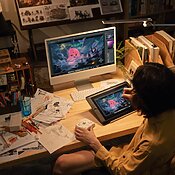
The XPPen Magic Pro 13 in our practical test as a standalone graphics tablet with Krita.
Thanks to the color accuracy of the 3K display, it is possible to precisely assess nuances in skin tones. The hardware display mode is essential for this workflow because the final assessment for four-color printing (CMYK) absolutely requires a display hardware-calibrated via ColorMaster and colorimeter .
Character design, conceptual art & plein air
In the gaming and film industries, concept artists rely heavily on speed, iteration, and mobility. The Magic Pro 13, weighing just 655 grams, easily packs into a small backpack, allowing you to capture ideas in Infinite Painter while relaxing in a café, on the sofa, or even in the woods . This is a fantastic aid to the creative process.
The AG etching of the display is a major advantage here: it refracts and scatters sunlight, making it possible to draw even in bright, unfavorable lighting conditions in the park. Thanks to the massive 10,200 mAh battery, it's possible to have long outdoor sessions without a sudden power loss affecting your aim; thus, you can keep your focus on the subject.
3D modeling and digital sculpting (Nomad Sculpt)
For 3D character artists, the standalone mode, in conjunction with applications like Nomad Sculpt, a mobile workstation. The intuitive shaping of digital clay (digital sculpting) benefits from the 120 Hz display. Fast camera pans around the 3D model, zooming in on fine pores, or using dynamic smoothing brushes are rendered extremely smoothly and without the judder that causes spatial disorientation.
The system performance in Android mode is perfectly adequate for models with a moderate to high polygon count. However, as soon as complex tasks such as retopology, 4K texturing (e.g., in Substance Painter), or complex ray tracing rendering are required, the device is simply connected to the PC via USB-C and serves as a flawless ZBrush or Blender display.
Graphic design & vector performance
Vector graphics (created in Affinity Designeror Adobe Illustrator on a PC) are unforgiving of motor inaccuracies; they demand clinical precision when setting and manipulating mathematical Bézier curves and anchor points. Thanks to the new cartridge-shaped bullet design and minimal travel of the X4 pen, nib wobble (the tiny lateral movement of the pen tip) is reduced, virtually eliminating annoying misclicks when finely adjusting tangents.
However, the lack of side touch shortcuts on the display bezel for quick keyboard combinations like Ctrl+Z or Alt, which are often needed in vector workflows, can be a drawback. XPPen a separate hardware solution for this.
Peripherals and workflow optimization: the ACK05 Wireless Shortcut Remote
ACK05 Wireless Shortcut Remote
Power users will notice one particular feature of the Magic Pro 13 (especially when used at a desk): the absence of a display bezel with physical hardware buttons (ExpressKeys). Graphics tablets are increasingly dispensing with these buttons to allow for narrow bezels and compact, portable dimensions. XPPen has addressed this ergonomic dilemma with a well-designed accessory ecosystem, most notably the ACK05 Wireless Shortcut Remote.
This small add-on keyboard, which connects to the system via Bluetooth 5.0, a proprietary 2.4 GHz USB-A dongle, or a wired connection, significantly increases workflow speed. It features a knurled, physical dial and 10 freely programmable keys with a high-quality scissor-switch mechanism that provides tactile and responsive feedback (comparable to a premium laptop keyboard).
Customizability: The powerful XPPen driver software allows you to create four completely different keyboard profiles. By simply switching between profiles (e.g., Profile 1 for sketching, Profile 2 for coloring, and Profile 3 for 3D sculpting), up to 40 individual shortcuts, macros, or complex key combinations can be configured. Tools such as brush size, zoom, undo, layer navigation, and color sampling are easily accessible with one hand while the other hand is drawing.
Haptic and acoustic feedback: The physical dial clicks audibly and noticeably into place at precise 1/24 increments during rotation. This allows for microscopically precise scaling of the brush tip or sensitive rotations of the canvas without having to take your eyes off the screen.
Ergonomic freedom: Thanks to its light weight of just 75 grams and the built-in 1,000 mAh battery (which provides up to an astonishing 300 hours of continuous use), the small remote can be placed anywhere on the desk. Many artists hold it comfortably in their non-drawing hand, which rests loosely on their lap or an armrest. This is a real way to break the rigid, unhealthy posture over the keyboard and thus prevent chronic back and shoulder pain.
The user forums on Reddit are a helpful place to see that the ACK05 is overwhelmingly praised as a major replacement for full-size PC keyboards. For the sake of transparency, it should be noted that there are occasional reports of encoder skipping on the rotary dial (the dial skips inputs or registers inputs in the wrong direction). This suggests that the dial may show some wear and tear under extremely intensive, prolonged mechanical use, although this may only affect a small percentage of units. Android device users, such as owners of the Magic Pro 13, can theoretically use the remote via Bluetooth, but setting up complex macros is primarily done through the PC driver software.
Direct comparison with competing products
To realistically assess the true market value of the XP-Pen Magic Pro 13 , it must compete in tough specification and practical comparisons with the established giants of the industry: Apple, Wacom and Huion.
The XP-Pen Magic Pro 13 in market comparison
In tabular form, this looks like this:
Features & Specifications
XPPen Magic Pro 13
Apple iPad Pro 13 (M4)
Wacom Movink 13
Huion Kamvas 13 Gen 3
Architecture / Concept
2-in-1 (Standalone + Display)
Standalone tablet
Pure character display
Pure character display
operating system
Android 16
iPadOS
None (Requires host PC)
None (Requires host PC)
Display panel type
13″ LCD (Fully laminated)
13″ Tandem OLED
13.3″ Samsung OLED
13.3″ IPS LCD
Resolution & Hz
3K resolution, 120 Hz
2420 x 1668, 120 Hz
1920 x 1080 (FHD), 60 Hz
1920 x 1080 (FHD), 60 Hz
Pen technology
X4 Stylus (EMR, Battery-Free)
Apple Pencil Pro (battery/Bluetooth)
Pro Pen 3 (EMR, Battery-free)
PenTech 4.0 (EMR, battery-free)
Pressure sensitivity
16,384 steps
Not specified (proprietary)
8,192 steps
16,384 steps
Display surface
AG etching (mat, nano)
Glossy glass (nanotexture extremely expensive)
Matte etching
Etched glass (AG)
Physical measurements
6.65 mm thickness / 655 g
5.1 mm thickness / 579 g
4-6.6 mm thickness / 420 g
11.7 mm thickness / 865 g
Price point (estimated)
~ 450 – 500 €
From approximately €1,549 (+ €149 pen)
~ 850 €
~ 249 €
XPPen Magic Pro 13 vs. Apple iPad Pro 13 (M4)
In terms of processing power, the iPad Pro undoubtedly king. Even large files are handled with ease by the powerful M4 chip, and the tandem OLED display achieves unprecedented brightness levels. The Procreate is a compelling, monolithic argument for entering the Apple ecosystem, as it is both highly intuitive and powerful.
For the pure drawing purist, however, the iPad exhibits glaring weaknesses. Because the standard display glass is extremely smooth and slippery, most artists have to resort to expensive, matte "paperlike" screen protectors, which, however, impair the brilliant image quality with noise and wear down the stylus tips. The nano-texture, which can be ordered from the factory, comes at a high price. Furthermore, the price of the iPad Pro is many times that of the Magic Pro 13, and the necessary Apple Pencil Pro must be purchased separately, which significantly increases the starting price.
Here, the Magic Pro 13 has a major advantage: It comes with a perfectly textured, factory-integrated matte surface, a completely maintenance-free pen, and, most importantly, a latency-free hardware connection to the desktop PC. Apple users, on the other hand, are either dependent on error-prone third-party apps or the "Sidecar," which is strictly limited to Macs , if they want to establish a connection to a PC.
XPPen Magic Pro 13 vs Wacom Movink 13
Wacom is launching the Movink 13, its first professional OLED pen display. A prime example of miniaturization, it weighs an astonishing 420 grams and is only 4-6 mm thick. The Samsung OLED panel delivers deep blacks and fantastic contrast (100,000:1). Combined with the Wacom Pro Pen 3, it provides an excellent, almost analog drawing experience.
A key drawback of the Movink is that it's purely a peripheral device. It has no processor, battery, or operating system of its own. The screen remains black unless a host computer (or a very powerful smartphone) is connected via cable. Furthermore, despite its high price of nearly €850, it only standard Full HD (1080p) resolution and is limited to a 60Hz refresh rate.
The Magic Pro 13 offers a full Android operating system, a huge battery for extended use, significantly sharper 3K resolution, and double the refresh rate (120 Hz) for almost half the price. The XPPendevice is the better choice for artists who prioritize portability without the need for a laptop bag.
XPPen Magic Pro 13 vs. Huion Kamvas 13 (Gen 3)
Traditionally, Huion is positioned as a direct price-performance rival to XPPen . The Kamvas 13 Gen 3 is a great, extremely competitive budget option (around €249). The new Huion PenTech 4.0 stylus, with its 16,384 pressure levels, offers the same technology as XPPen 's X4 pen . It provides 99% sRGB coverage and an impressive 90% Adobe RGB coverage.
Nevertheless, the Magic Pro 13 surpasses the Huion model in terms of premium features, standalone operation, and form factor. The Kamvas 13 , similar to the Wacom Movink , is strictly connected to a PC. At 11.7 mm, it is almost twice as thick, weighs significantly more at 865 grams, and has a refresh rate of 60 Hz at a resolution of 1080p. The XPPen device is often chosen, albeit at a higher price, by those seeking a comprehensive solution.
Community feedback, long-term study & support experiences
It is crucial that laboratory analyses of specifications are objective; however, the unvarnished truth about a tool often only emerges in the harsh realities of everyday use. Feedback in professional online forums, subreddits (r/XPpen, r/drawingtablet), and artist communities offers valuable insights that we do not want to disregard in our overall assessment.
The community's anticipation and expectations for the Magic Pro 13 are heavily influenced by a certain frustration with the compromises made so far in the market. Its direct predecessor, the Magic Drawing Pad, was passionately praised by the community for its excellent, textured drawing surface, which many artists found to be "significantly more natural and satisfying than the iPad." However, criticism on platforms like Reddit focused on the limited processing power, which caused some stuttering and lag when using computationally intensive brushes, working with large files in Clip Studio Paint , or during multitasking. There was also some concern about outdated Android versions – which, as mentioned, the manufacturer addressed with the Android 15 operating system update on October 27, 2026.
The Magic Pro 13 addresses precisely these criticisms right from its market launch. Shipping with Android 16 offers investment security and future-proofing, as app updates are guaranteed for years. The community considers the ability to easily offload the processing load to a powerful desktop PC via the USB-C cable for demanding, memory-intensive rendering tasks (Hardware Drawing Display Mode) a "game changer" for workflow.
Expectations for the new X4 pen are considerable. There have been isolated complaints from users of the X3 generation about minor calibration and parallax problems at the screen edges, or a "noisy" (unsteady, shaky) tilt detection in certain software brushes.
The XPPen engineers have raised high hopes for the X4 chip; their promise of 150% higher recognition accuracy in the center of the display and a tolerance of only ± 0.2 mm is seen by the forum community as a necessary and logical step towards the absolute Wacom Pro level. The long-term durability of the magnetic pen holder and the wear and tear of the textured AG glass coating after thousands of hours of intensive pen friction will need to be observed more closely in future long-term tests (after one year of use).
Conclusion & Expert Opinion
the XPPen Magic Pro 13 is not just another product update, but rather a true milestone in the evolution of digital art tools. It is extremely gratifying that XPPen have recognized the pain points of modern digital artists and incorporated them into their hardware development.
The device cleverly and almost invisibly combines a high-performance, fully autonomous Android 16 tablet with the latency-free, uncompromising directness of a desktop hardware-level pen display: It finally eliminates the frustrating boundaries between ergonomic studio work on a high-performance PC and inspired, mobile creativity on the couch or in the woods. The 12.95-inch 3K display features a 120Hz refresh rate and tactile, etched anti-glare glass, which together create a visual and mechanical brilliance unmatched in this price range.
The new X4 Smart Chip Stylus, with its impressive 16,384 compression levels and tiny 0.3 mm of travel that eliminates wobble, removes the last remaining physical barriers. It also boasts an extremely low initial activation force of 2 grams – a difference that historically separated the digital pen from its analog counterpart.
For consumers seeking a multimedia and entertainment tablet for watching Netflix series and playing light games, the iPad Pro or the Samsung Galaxy Tab are likely the more advantageous options due to their software ecosystems. However, for dedicated illustrators, professional concept artists, 3D modelers, and graphic designers seeking maximum creative freedom, a superb, analog-like drawing experience, and professional, color-calibrated PC connectivity—all at a fraction of the cost of comparable high-end products from Apple or Wacom—the XPPen Magic Pro 13 one of the most powerful, thoughtfully designed, and uncompromising tools of 2026.
Our test conclusion for the XP-Pen Magic Pro 13
Frequently asked questions answered briefly
Does the X4 Smart Chip Stylus require a battery or does it need to be paired via Bluetooth in a complicated process?
No. The new stylus uses modern EMR (Electromagnetic Resonance) technology. A weak electromagnetic field generated by the tablet display inductively powers the passive pen, enabling the calculation of its precise position and pressure (16,384 levels).
Therefore, the pen never needs to be charged. It is not connected by cables and does not need to be paired with the device via Bluetooth. It is always ready for immediate use without any delay.
Is it possible for me to directly install full-fledged desktop programs like Adobe Photoshop CC, ZBrush, or Blender on the XPPen Magic Pro 13?
This depends on the mode used. In standalone, mobile mode, the device uses Android 16. Only mobile applications from the Google Play Store (such as Clip Studio Paint for Android, Infinite Painter, Krita, or Nomad Sculpt) can be installed and used here.
The tablet transforms into a high-precision, touch-sensitive external monitor as soon as you connect it to a powerful Windows PC or Mac via the included USB-C cable in Drawing Display Mode. In this mode, you can view and control your complete, full-featured desktop software directly on your tablet's screen.
What is the battery life like in practice?
Is it enough for a full workday or study day? The built-in 10,200 mAh battery is among the largest currently available in devices of this weight and thickness. With moderate screen brightness (indoor use) and intensive use of common drawing apps, it easily allows for several hours of continuous work without an external power source.
When the battery runs low, it can be recharged very quickly thanks to the 45W fast charging support (via USB-C), so that even short breaks can be used effectively for recharging.
Can the display be used and calibrated for professional color assessments (print & prepress)?
Definitely. Although Android tablets are often difficult to calibrate in standalone mode, the Magic Pro 13 truly shines in PC mode. Because the tablet receives an uncompressed, native video signal from the desktop PC via the USB-C cable, you can use it like a professional graphics monitor. Combined with software like XPPen ColorMaster and an external hardware colorimeter (e.g., a calibration device such as those from X-Rite or Calibrite), the device can be calibrated with high precision according to industry standards. Delta E values of less than 1.5 are achieved, making color deviations invisible to the human eye and thus fully qualifying the tablet for professional prepress applications.
The methodology of this report adheres to editorial guidelines for transparency, independence, and practical product analysis of digital artwork tools. The findings are based on a synthesis of technical documentation, industry benchmarks, community feedback, and sound professional expertise.
Our testing methodology and Kunstplaza's self-understanding of honest and professional reviews
Finally, we would like to share a few lines about our understanding of honest, helpful, and authentic reviews.
Whichguidelinesdo we feel committed to:
Complete weighing of all pros and cons
Clarification and naming of the facts
Reliable research (two-source principle where possible) and personal testing (first-hand experience)
Authentic opinion (would we use the provider ourselves) from experts & professionals
Dealing with user criticism from review platforms
Naming alternatives
Transparency regarding remuneration and financing (see affiliation note at the very bottom)
Avoidance of economic directives and dependence on the mentioned providers
Transparency note
The XP-Pen model was provided to us free of charge for our product test. This has no impact on the neutrality of our review, and we were not influenced by the manufacturer in our free expression of opinion at any time.
The Magic Pro 13 is currently available directly from the manufacturer XP-Pen for €999. With our exclusive coupon code"kunstplaza20" , you'll receive a generous 20% discount on all models in the Magic series until December 31, 2026 (coupon code cannot be combined with other offers).
Affiliate Links Disclaimer: with a - symbol are affiliate links. As a general rule and without exception, we only recommend or link to products that we use (or would use) ourselves and all opinions expressed here are our own. Our product reviews and recommendations are independent and based on research, expert opinions, and/or product testing. If you click on affiliate links in our content, we may receive commissions for your purchases (at no extra cost to you), but we never receive any compensation or payment for the content of our recommendations. This is how we finance our editorial work and the magazine articles we provide to you free of charge (details in our Editorial Standards). Read the full PrivacyPolicy.
Owner and Managing Director of Kunstplaza . Publicist, editor, and passionate blogger in the fields of art, design, and creativity since 2011. Graduated with a degree in web design from university (2008). Further developed creative techniques through courses in freehand drawing, expressive painting, and theatre/acting. Profound knowledge of the art market gained through years of journalistic research and numerous collaborations with key players and institutions in the arts and culture sector.
Regardless of your field of activity as a web designer, graphic designer, game developer, photographer, programmer, product designer, journalist, content creator or influencer, as a self-employed person you have a wide range of tasks to manage.
From customer acquisition and successful project implementation to time management and financial administration – including the often unpopular tax matters.
Good information and the right online tools are crucial for a successful career as a freelancer or content creator.
In this section you will find helpful articles and valuable advice with tips specifically for freelancers.
We use technologies such as cookies to store and/or access device information. We do this to improve your browsing experience and to display (non-)personalized advertising. If you consent to these technologies, we can process data such as browsing behavior or unique IDs on this website. Refusal or withdrawal of consent may adversely affect certain features and functions.
Functional
Always Active
Technical storage or access is strictly necessary for the legitimate purpose of enabling the use of a specific service expressly requested by the subscriber or user, or for the sole purpose of carrying out the transmission of a message over an electronic communications network.
Preferences
The technical storage or access is necessary for the legitimate purpose of storing preferences that were not requested by the subscriber or user.
statistics
Technical storage or access that is solely for statistical purposes.Technical storage or access that is used solely for anonymous statistical purposes. Without a subpoena, the voluntary consent of your internet service provider, or additional recording by third parties, the information stored or retrieved for this purpose cannot generally be used to identify you.
marketing
Technical storage or access is required to create user profiles, to send advertising, or to track the user on one or more websites for similar marketing purposes.










 Modern table "Puntual" in black grid design with aluminum tabletop
398,00 €
Modern table "Puntual" in black grid design with aluminum tabletop
398,00 €