The cumbersome, cross-device workflow for working with documents is a thing of the past. Today, we no longer need to waste time sifting through stacks of documents to find what we need. Digitization has significantly simplified our work with documents.
Cross-platform image and file sharing is commonplace today. JPG is one of the formats users choose for their images. It's known for its excellent quality combined with high compression, but it's not always the ideal solution for sharing or printing. For these tasks, PDF is the recommended format.
Discover the differences between these formats. Why is it advisable to convert a JPEG image to a PDF, and how does the conversion process work?
Convert images from JPG to PDF – The best option for sharing and printing. Photo by picjumbo.com, via Pexels
JPG is an image file format primarily used for storing images and photos. This format allows you to not only save your images but also capture them with digital cameras. To share your photos across various platforms, you can compress your files into a shareable format. This format is ideal for uploading images to social networks or sending them via email.
The advantages of the JPG format include:
Compared to PDF, this format has a significantly smaller file size.
This format is compatible with most hardware devices such as monitors and scanners.
This allows you to view an image file online.
However, there are also some disadvantages. Compressing JPG files to a smaller size degrades image quality. Compressed files are unsuitable for printing . It's also worth noting that such images don't support layers. Therefore, graphic designers face the challenge of editing the graphics to meet specific requirements.
What is a PDF format?
The PDF format is a universal solution for viewing documents and saving text, etc. This format allows you to easily share your files and documents, including not only text but also images. Another feature of PDF is that files are saved in their original format and size.
But that's not all it's known for. It offers encryption features. Therefore, it's a great solution for confidential documents. Advantages of the PDF format include:
High quality and high reliability
Ideal for file sharing
Ideal for interactive and print design
It is suitable for use on various gadgets.
The disadvantages of PDF files shouldn't be ignored. For example, if a PDF contains high-resolution images or graphics, it can be difficult to share via email. Complex formatting can also cause problems when viewing documents on different devices.
The PDF format is a universal solution that allows you to view documents and store both text and images. Photo by George Milton, via Pexels
Why do you need to convert an image from JPG format to PDF?
Do you want to convert your image to a PDF? That's a great solution, as such a conversion offers many advantages. Firstly, PDFs take up less storage space on your hard drive compared to JPGs. Furthermore, the limited scalability of JPG images negatively impacts print quality .
When we talk about printing, the print quality of such images depends on the resolution. Therefore, the printed image may differ from the screen display. However, this problem does not occur with the PDF format. When you convert your images to documents, you can rely on the quality.
JPG images are notorious for their poor scalability at small sizes. This can lead to problems if these images contain slogans or non-graphic content. If you want to showcase your professionalism and present a high-quality image, converting JPG files to PDF is the ideal solution. This conversion allows you to easily share your outstanding photos and print them without any loss of quality.
Here's how to convert images from JPG to PDF.
Looking back a few years, converting JPG files to PDFs wasn't an easy task. But all that is a thing of the past. With modern tools like PDF Guru, you can easily convert your JPEG to PDF . Today, you can use an online JPG to PDF converter and get the format you need to share and print high-quality photos in just a few clicks.
There are numerous online services in cyberspace that can assist with the conversion. The principle of using such resources generally involves the following steps:
The first step is to select a reliable resource for the conversion.
Then, after entering the platform, users must find the required service.
When the “Convert images from JPG to PDF” tab is opened, a work window opens.
The next step is to upload a JPG photo to a special window.
The user receives a finished PDF in a few seconds.
The user can then download the converted file to their device. Afterwards, it can be used for sharing or printing. It should be emphasized that such conversions can also be performed on mobile devices.
Conclusions
Although JPG offers numerous advantages, PDF is the ideal solution for high-quality image file sharing and printing. Therefore, if you want to share your high-quality photos, you need to convert the JPG format to PDF. Modern online converters allow you to do this in just a few clicks.
Owner and Managing Director of Kunstplaza . Publicist, editor, and passionate blogger in the fields of art, design, and creativity since 2011. Graduated with a degree in web design from university (2008). Further developed creative techniques through courses in freehand drawing, expressive painting, and theatre/acting. Profound knowledge of the art market gained through years of journalistic research and numerous collaborations with key players and institutions in the arts and culture sector.
Regardless of your field of activity as a web designer, graphic designer, game developer, photographer, programmer, product designer, journalist, content creator or influencer , as a self-employed person you have a wide range of tasks to manage.
From customer acquisition and successful project implementation to time management and financial administration – including the often unpopular tax matters.
Good information and the right online tools are crucial for a successful career as a freelancer or content creator.
In this section you will find helpful articles and valuable advice with tips specifically for freelancers.
We use technologies such as cookies to store and/or access device information. We do this to improve your browsing experience and to display (non-)personalized advertising. If you consent to these technologies, we can process data such as browsing behavior or unique IDs on this website. Refusal or withdrawal of consent may adversely affect certain features and functions.
Functional
Always Active
Technical storage or access is strictly necessary for the legitimate purpose of enabling the use of a specific service expressly requested by the subscriber or user, or for the sole purpose of carrying out the transmission of a message over an electronic communications network.
Preferences
The technical storage or access is necessary for the legitimate purpose of storing preferences that were not requested by the subscriber or user.
statistics
Technical storage or access that is solely for statistical purposes.Technical storage or access that is used solely for anonymous statistical purposes. Without a subpoena, the voluntary consent of your internet service provider, or additional recording by third parties, the information stored or retrieved for this purpose cannot generally be used to identify you.
marketing
Technical storage or access is required to create user profiles, to send advertising, or to track the user on one or more websites for similar marketing purposes.



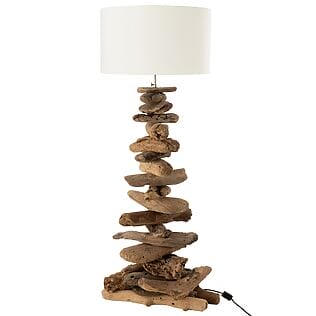
 J-Line floor lamp "Floated" made of natural driftwood, white lampshade
225,00 €
J-Line floor lamp "Floated" made of natural driftwood, white lampshade
225,00 €