We live in a digital world, so why not give good old scrapbooks a new lease on life and take this kind of art to another dimension? It's always been so much fun, but just imagine the possibilities that current technologies offer us—they've opened up entirely new horizons for hobbyists.
Wondering what a digital scrapbook is? It's a creative craft that uses scanned photos, images, clippings, decorative elements, and more. (Create one effortlessly with SmartSHOW 3D, a user-friendly program that's a great scrapbook maker !) You won't have to constantly buy missing materials, and best of all, you and your desk will stay clean since you won't be using glue or glitter.
How to create a digital scrapbook? 6 simple scrapbooking tips
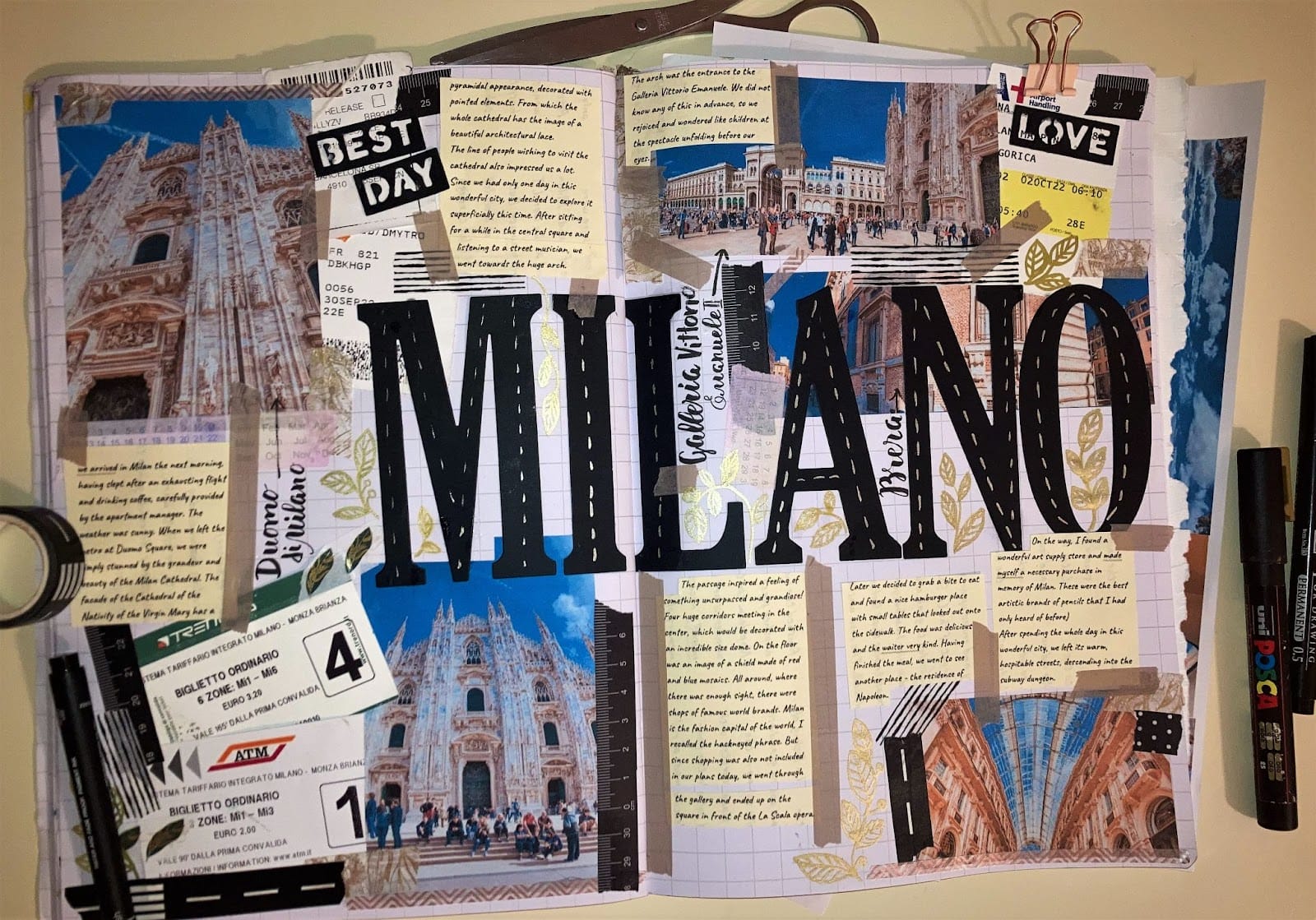
You can create such digital albums for any occasion. Here are the most popular types of scrapbooks:
Travel scrapbook;
Wedding scrapbook;
a “romantic” scrapbook;
an album for a baby shower;
Friendship album;
Christmas album, etc.
So you're a dedicated DIY enthusiast and want to create a digital scrapbook, but don't know where to start? Don't worry—we've got you covered! In this post, we'll share six tips to help you get started. Let's begin.
Before you upload all the pictures you have on your laptop, take a minute to think about the concept of your scrapbook
Before uploading all the images you have on your laptop, take a minute to think about the concept of your scrapbook. If you're struggling to come up with ideas, look online for inspiration—search for reference images on Pinterest or other similar websites.
Don't be afraid to experiment — with digital scrapbooking you can let your creativity run wild and realize any of your ideas.
02 Prepare the media files
Now that you have a specific idea in mind, you can easily select the photos you need for your scrapbook. First, scan the printed photos so you don't waste time when creating your design.
Then save other digital images and scans in a folder.
03 Add a description
Without your notes, your design will look like a simple picture collage, so don't hesitate to add a few captions. In traditional scrapbooks, you could only use your own handwriting, but now you can experiment with countless text styles—classic, futuristic, comic-strip, minimalist, and so on.
Just make sure that the font matches the style and concept of your scrapbook.
04 Use animations to spice things up
Once you've added all the necessary files, you can bring your scrapbook to life with all sorts of animations. For example, you can use transition effects to make it look like you're turning the pages—just like a paper album.
It's also a good idea to animate your photos — make still images float, jump, rotate or move however you like.
05 Consider the platform for sharing
The content of your digital scrapbook is important, but how you share it makes a big difference too. To choose the right file format, you need to decide on the platform where you plan to publish your scrapbook. If you want to share it on social media, save the design as an MP4 video or as a PNG or JPEG image. To send it via email, it's best to export your scrapbook as a PDF.
06 Choose an app for scrapbooking
The quality of your digital scrapbook, the number of animation effects, and the text styles depend on the program you choose. Each such program has its advantages and disadvantages.
This is everything you need to know about creating a digital scrapbook. We hope the tips we've given you in this post will help you with your project. Don't worry about the "right" way to do it—there are no rules when it comes to scrapbooking.
As with any other hobby, the most important thing is to have fun and create something meaningful to you. Now is the time to bring your creative ideas to life in your first digital scrapbook and share it with your family and friends.
We use technologies such as cookies to store and/or access device information. We do this to improve your browsing experience and to display (non-)personalized advertising. If you consent to these technologies, we can process data such as browsing behavior or unique IDs on this website. Refusal or withdrawal of consent may adversely affect certain features and functions.
Functional
Always Active
Technical storage or access is strictly necessary for the legitimate purpose of enabling the use of a specific service expressly requested by the subscriber or user, or for the sole purpose of carrying out the transmission of a message over an electronic communications network.
Preferences
The technical storage or access is necessary for the legitimate purpose of storing preferences that were not requested by the subscriber or user.
statistics
Technical storage or access that is solely for statistical purposes.Technical storage or access that is used solely for anonymous statistical purposes. Without a subpoena, the voluntary consent of your internet service provider, or additional recording by third parties, the information stored or retrieved for this purpose cannot generally be used to identify you.
marketing
Technical storage or access is required to create user profiles, to send advertising, or to track the user on one or more websites for similar marketing purposes.










 J-Line Abstract female figure sitting on rectangular block, matte white
77,90 €
J-Line Abstract female figure sitting on rectangular block, matte white
77,90 €